
What support software does a small SaaS actually need?
Start with the support jobs your customers need: finding answers, contacting your team and following ongoing issues. A practical buying framework for small SaaS teams.
 Will Slatton ·
· 7 min read
Will Slatton ·
· 7 min read

Quick answer: A small SaaS usually needs three things first: a searchable knowledge base, one shared place to handle customer conversations, and a clear way for customers to contact a person. Add AI answers when you have reliable documentation to draw on. Add a ticket portal when customers need to return to ongoing issues. You can get these functions in one product; you do not need to buy five separate tools.
The useful buying question is simple: where are your customers getting stuck, and what would help you resolve that problem consistently? A solo founder with a few emails has different needs from a team handling account issues throughout the day. Start with the work you actually have.
Which support jobs do you need to cover?
Think about four jobs: helping someone find an answer, receiving a question, making sure somebody owns it, and keeping the conversation available until it is resolved. The software should make those jobs easier to follow.
| Customer need | Useful starting tool | Reason to add it |
|---|---|---|
| Find a common answer without waiting | Searchable knowledge base | You keep answering the same explainable questions |
| Ask about something specific | Contact form or support email feeding a shared inbox | Questions arrive through several people or channels |
| Get an answer while using your product | Embedded search and, where useful, AI answers | Leaving the app makes help harder to find |
| Return to an unresolved issue | Authenticated ticket portal | Customers need to see their conversation history and status |
| Speak to someone immediately | Staffed live chat | You can consistently provide the response time it implies |
A widget is a way to present help inside your website or app. A knowledge base is the content it can search. An inbox is where your team handles conversations. A portal lets customers follow their own requests. Understanding those distinctions makes feature lists much easier to compare.
When does a small SaaS need a knowledge base?
As soon as a useful answer deserves a permanent home. That might be your cancellation policy, an explanation of how a feature works, or the first step when a common error appears. Start with the questions that interrupt your week, rather than trying to document every button before launch.
A good article should answer one question, explain any limits, and show the next step. Give it a title a customer would recognise. Keep a person responsible for checking it when the product changes. Ten accurate answers are more useful than a large library that contradicts the app.
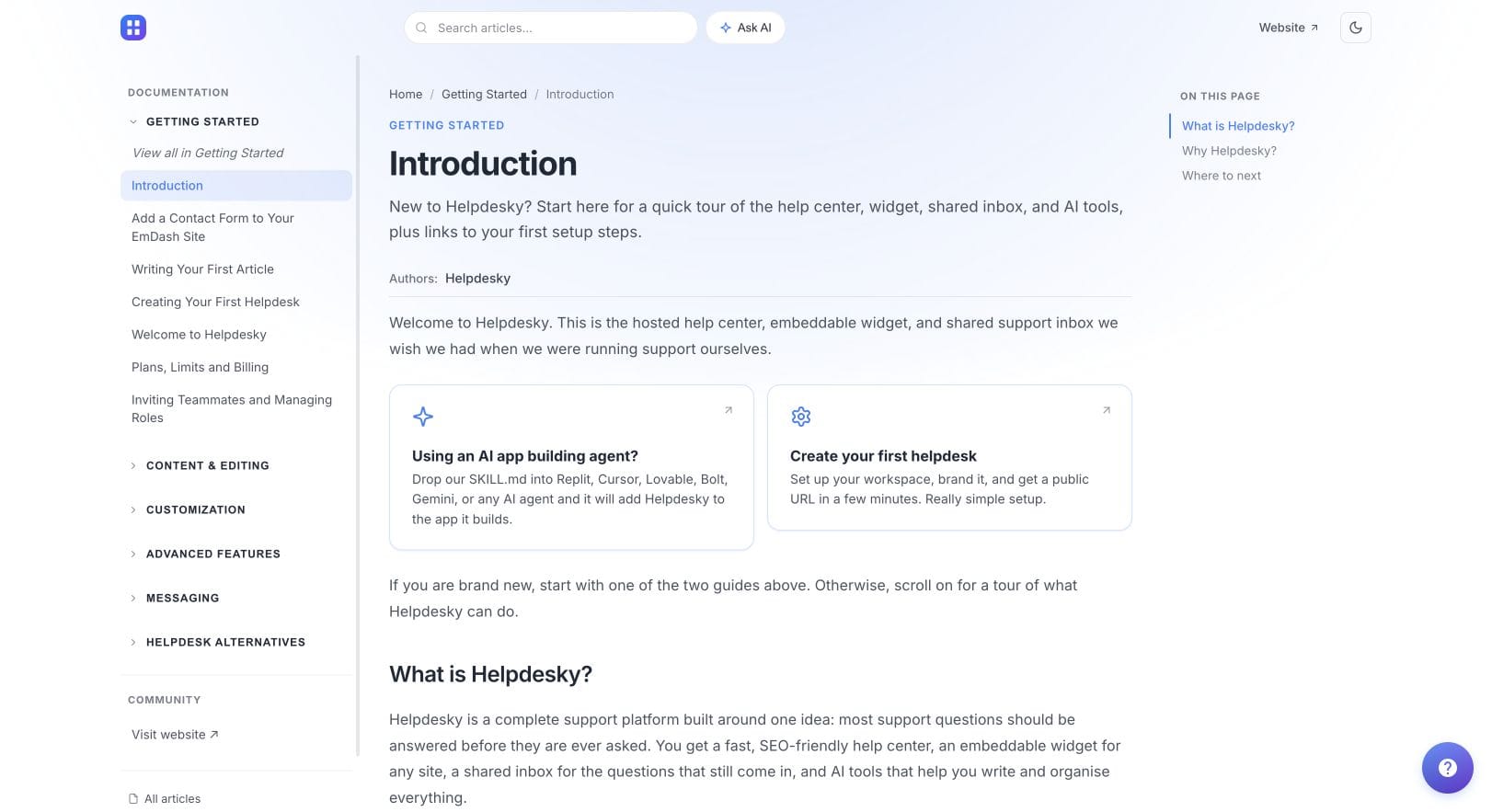
Public documentation also gives prospective customers something concrete to evaluate. Make your product information understandable and accessible, but do not assume publishing a help page guarantees a search ranking or an AI citation. This guide focuses on choosing support software; a wider content strategy is a separate decision.
When is an ordinary email inbox no longer enough?
An ordinary support mailbox can be a reasonable starting point when one person owns every reply. The warning signs are missed follow ups, duplicate answers and uncertainty about who is handling an issue. Those are workflow problems worth fixing before they become a daily habit.
Look for visible ownership, a conversation history and a clear distinction between open and resolved work. During a trial, have two teammates handle the same sample request in turn. Can the second person understand what happened without asking the first to explain it?
Different tools solve this differently. For example, Help Scout documents collision detection, internal notes and previous conversations as shared inbox features. If those are essential to your process, test them specifically in each product you consider. Do not assume every shared inbox has the same capabilities.
HelpDesky brings contact forms, widget messages, ticket conversations and forwarded email into its support inbox. You can explore the customer facing channels in the live HelpDesky demo and compare the available support embeds. The benefit of a connected setup is having fewer separate places to maintain.
Should AI answers be part of your first support setup?
They can be, provided customers still have a reliable route to a person. A documentation based assistant is most useful when your source material already explains the questions customers ask. It should help someone locate and understand that information.
Before enabling it for customers, prepare a small test set: questions your documentation answers, questions it only partly answers, and questions it cannot answer. Check the sources it gives and what happens when the answer is missing. A fluent response is not enough if it invents a policy.
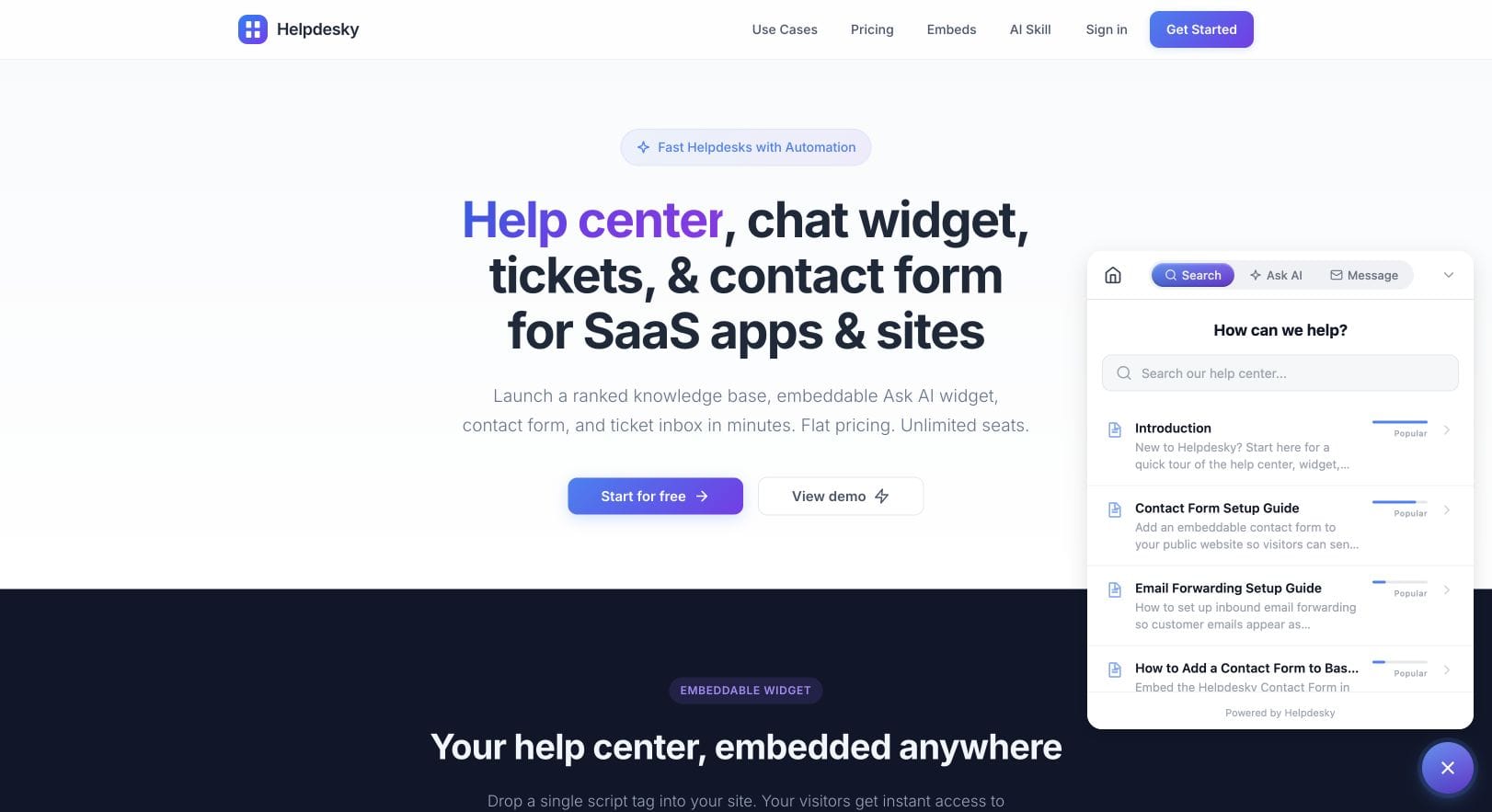
HelpDesky lets you connect your own AI provider. Include that provider's usage charges in your budget; a free support software plan does not make model usage free. Test your chosen configuration rather than relying on a general claim about AI accuracy.
Keep sensitive account changes and unclear billing disputes with a person. A customer should not have to keep rephrasing the same question to escape an unhelpful automated answer.
Do you need a ticket portal or live chat?
A ticket portal becomes useful when a problem lasts longer than one exchange. Think of a bug investigation: the customer sends details, your team checks them, and the customer returns later for an update. A persistent conversation and visible status can make that process clearer.
For a simple question from a visitor who has no account, a contact form is often the more direct entry point. HelpDesky provides both a contact form and a ticket centre. Choose the entry point that fits the customer relationship, rather than asking everyone to sign in before they can reach you.
Live chat adds a different commitment: availability. If you cannot monitor it, explain when replies normally arrive. Messaging that continues later can still be useful, but avoid promising an instant human answer when nobody is available. HelpDesky currently labels live messaging as beta on its pricing page, so include it in your trial checks.
What would a sensible setup look like for three people?
Imagine a founder, a developer and one teammate sharing support. This is an illustrative workflow, not a customer case study.
- Publish the recurring answers. Cover the questions you repeatedly explain, with one clear article per problem.
- Give new questions one destination. Use a support address or contact form connected to your shared inbox.
- Make responsibility visible. Each open request needs an owner and a clear next action, even when that action is waiting for engineering.
- Preserve continuity. Offer a ticket portal if customers frequently return to unresolved issues.
- Add AI selectively. Test it against the documented answers and keep the human contact route visible.
For example, a question about changing an invoice address might have a useful public explanation. A disputed charge needs a private conversation. An intermittent bug needs a continuing thread. Sending all three through an identical automated answer would ignore what the customer is trying to do.
What should you check before comparing prices?
Compare the plan that fits your actual workload. Check the number of helpdesks, published articles, monthly conversations and team seats, then add any separate AI provider charges. Also check what happens when you reach a limit or downgrade.
As checked on 26 September 2026, HelpDesky's published monthly plans are:
| Plan | Monthly subscription | Included capacity |
|---|---|---|
| Free | $0 | One helpdesk, two published articles and 10 conversations per month |
| Pro | $9 | One helpdesk, 50 published articles and 150 conversations per month |
| Ultimate | $29 | Three helpdesks, unlimited articles and unlimited conversations as advertised |
All three list unlimited seats. That means a three person team can evaluate the Free plan without adding a software seat fee for each teammate. Its two article limit makes it a small trial library, however. Pro gives you more room to build a useful collection of answers. AI provider usage remains a separate consideration, and current prices and terms should be checked before purchase.
This is a fit check, not a full market price comparison. If you need telephone support, complex routing or a particular integration, verify those requirements directly. A lower subscription price only helps when the product covers the job you need it to do.
How can you test a support tool before moving everything?
Run a small trial with realistic sample questions. Can a customer find the right article? Can they contact you when it does not help? Can another teammate continue the conversation? Can you identify what remains unresolved? Test those steps on a phone as well as a desktop.
Talk to customers while you do this. Ask about the last time they needed help and what they tried before contacting you. The Y Combinator session below, How To Talk To Users with Gustaf Alströmer, is useful background for those conversations. It is about understanding users, not a HelpDesky product demonstration.
Choose the smallest setup that makes these steps dependable. If a knowledge base, shared inbox, AI widget and ticket centre fit your needs, HelpDesky gives you a connected place to start. Use the free plan to test the fit, then choose capacity based on what your team actually uses.
Common questions about support software for small SaaS teams
Do we need to replace the email provider we already use?
Not necessarily. A support inbox can receive messages forwarded from your existing support address. Check the forwarding and reply behaviour during your trial, including which address customers see and whether replies stay in the same conversation.
Should every customer question become a public help article?
No. Publish reusable explanations that help other customers. Keep personal account details and individual disputes private. If a private conversation reveals a common problem, write a separate general answer without the customer's identifying information.
Can a chatbot replace a shared inbox?
They do different jobs. A chatbot can answer questions from available information. An inbox helps people own, investigate and resolve conversations that need human judgement. Decide how those conversations reach your team before enabling automation.
What should we measure during the first month?
Start with unanswered requests, time to a useful first reply, recurring questions and issues that reopen. Read a sample of conversations too. A fast response that does not solve the problem is not a useful outcome on its own.
What should we check before leaving a support platform?
Check which content and conversation data you can export, the export format, and what happens to public article URLs and embedded widgets. Test an export before you depend on it. Do not assume every provider offers the same migration options.
Is a free plan enough for a new SaaS?
It can be enough to test the workflow and handle a small starting volume. The relevant limits are your content and conversations, not just team size. HelpDesky's Free plan currently includes two published articles and 10 monthly conversations, so review capacity as your support needs grow.