
Contact form, AI chatbot or ticket portal: which does your SaaS need?
A form collects a question, AI tries to answer it, and a portal keeps an ongoing conversation available. Choose using the job your customer needs to complete.

Product references checked on 4 October 2026. HelpDesky publishes this guide. The scenarios are illustrative buying examples, not reported customer results.
Which support route fits the customer’s job?
Choose the route using two questions: what does the customer need to do now, and what must remain available afterwards? A visitor asking about a feature has a different problem from a customer waiting for an engineer to investigate an import failure.
A form collects a request. AI tries to answer it. A portal gives a customer somewhere to manage the continuing conversation. Those functions can work together; the presence of a chat bubble does not tell you which ones a product provides.
| Customer job | Useful first route | Identity needed? | What to check next |
|---|---|---|---|
| Ask about the product before buying | Public contact form | A reply address, usually no account | Who receives it and how the visitor gets a reply |
| Find a documented explanation | Search or AI answers | Usually not for public information | Source accuracy and access to a person |
| Discuss a private account issue | Authenticated support route | Yes, before disclosing account information | Whether identity and access are actually verified |
| Return to an unresolved technical case | Ticket portal | A stable customer identity | History, replies, status and notification behaviour |
| Recover access after losing the ability to sign in | Public recovery contact route | Verification before account changes | Whether help remains reachable outside the login wall |
This is a decision framework, not a claim that every tool in each category behaves identically. Test the actual product and plan. For the wider choice of documentation, inbox and staffing, see our guide to the support software a small SaaS needs.
When is a contact form the right starting point?
A contact form works well when someone needs to explain a request and can wait for a reply. It can serve prospective customers, partnership enquiries and people who cannot access your app. Keep the fields relevant to the first useful response rather than asking visitors to complete your entire internal investigation.
For example, an enquiry about whether your product supports a particular import format might need an email address, the format and a short description. Asking for a workspace ID before the person has created an account adds an obstacle without helping you answer.
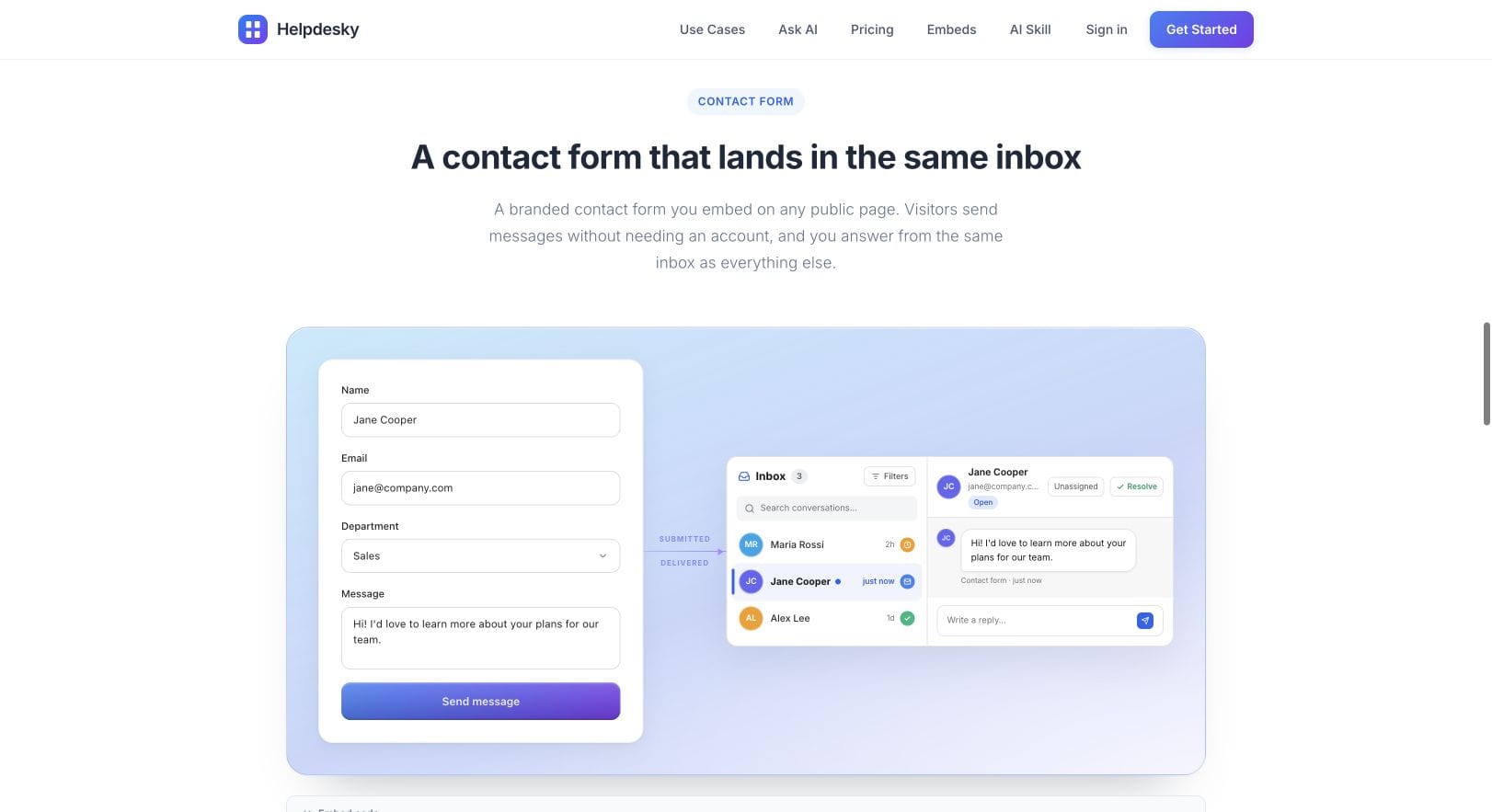
HelpDesky’s public contact form accepts messages without requiring an account and sends them into the shared inbox. That makes it a candidate for the public side of this workflow. The form’s appearance is only part of the decision: check delivery, ownership and the reply experience too.
Submitting an email address does not prove someone owns the associated account. A form can start an account enquiry, but your team still needs an appropriate verification process before revealing private information or making account changes.
When does AI answering help more than a form?
AI answering is useful when the customer’s question can be answered from accurate material you already maintain. It can offer an explanation while the customer is still trying to complete a task. It should also make it easy to inspect the source and ask for help when the answer does not resolve the problem.
Consider a customer asking where exported files are stored. A current help article may answer that immediately. A customer saying an export contains another organisation’s data needs a person to investigate. Treating both requests as ordinary documentation questions would miss the difference in consequence and context.
HelpDesky’s Ask AI requirements describe answers based on published articles and a connected AI provider key, with usage billed separately by that provider. Evaluate the source material and the cost model before treating AI as a replacement for existing contact routes. Our comparison of free AI support allowances explains the different meanings of free access.
During evaluation, ask questions with incomplete information as well as obvious answers. Include an outdated feature name, a request outside the documentation and a request to speak to someone. Record whether the next step is useful. Do not count a generated answer as a resolved case simply because it appeared quickly.
When do customers need a ticket portal?
A portal becomes useful when customers repeatedly return to a case: an integration failure, an investigation requiring screenshots, or a request waiting on another team. The customer needs to see what happened, add information and understand whether the issue is still open.
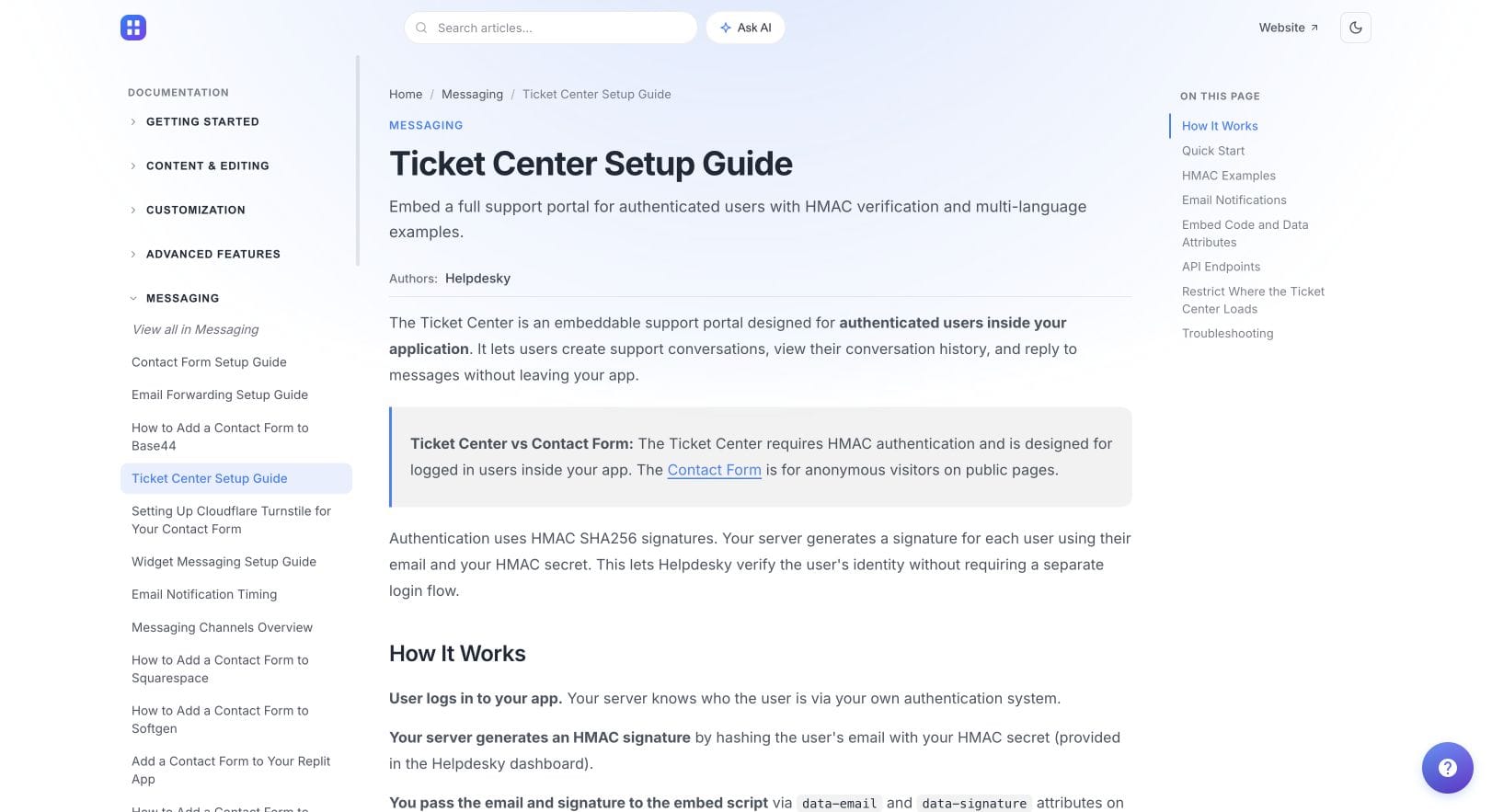
HelpDesky’s ticket centre identity requirements explain that it sits inside your application for authenticated users. It uses a signature generated by your server to verify the user and lets them create, view and reply to their conversations. The buying implication is that a portal needs an identity integration; it is not merely a contact form with a different heading.
Test the return journey rather than stopping after the first submission. Can a customer reopen the support area tomorrow, find the same case and understand the latest response? Can your team distinguish a new issue from another reply on an existing one?
Keep a public contact option for people who cannot sign in. Putting every support route behind the same account access that has failed makes recovery harder. That public route should start verification, not bypass it.
How should the three routes work together?
Give each route a clear purpose and make the transitions explicit. A reasonable starting design is public questions through a form, reusable explanations through search and AI, and continuing account conversations inside the app. Adjust it using real customer behaviour rather than assuming every visitor wants to chat.
For an illustrative import problem, the customer might first read an AI answer about supported file formats. If the import still fails, the next step should explain how to contact the team and what information helps. Once an investigation begins, the customer needs an identifiable conversation they can return to.
Do not assume this transition preserves context automatically. During the trial, check whether the question, relevant answer and useful customer details reach the receiving person. If a product requires the customer to repeat the issue, understand that limitation before promising a seamless handover.
The official tawk.to video below discusses AI Assist questions including escalations and fallbacks. It is a vendor explanation of that product, useful background for what to evaluate in a handover. It does not demonstrate HelpDesky’s behaviour.
What should you verify before choosing a support platform?
- Entry: can a visitor reach the correct route from the page where the problem occurs, including on a phone?
- Identity: does the product distinguish someone claiming an email address from a verified customer?
- Ownership: can your team see who is responsible and what should happen next?
- Continuity: can the customer and the next teammate understand the existing conversation?
- Fallback: what happens when AI cannot help, nobody is online or the customer cannot sign in?
Write a simple acceptance result beside each check: works, needs configuration, or does not fit. This is more useful than scoring a long feature list without trying a complete customer journey. A contact form with reliable follow through can be a better first step than several unattended channels.
HelpDesky brings the contact form, widget messaging, ticket centre and forwarded support email into one inbox. Explore the available support components to assess their fit, then use the linked documentation for integration details. This buying decision should come before an installation walkthrough.
Test a complete customer journey. Start with one real support scenario and check how HelpDesky connects the question, the reply and the return visit.
Frequently asked questions
Does a contact form require a customer account?
Not necessarily. Public forms commonly accept an enquiry without sign in. HelpDesky’s contact form is intended for that use, while its ticket centre is intended for authenticated users.
Is an AI chatbot the same as live chat?
No. An AI answer is generated automatically. Live chat involves a person being available to respond. Make the experience and expected response time clear instead of relying on the appearance of the widget.
Does a portal remove the need for email?
No. Some customers still need email as a contact or notification route. Evaluate how replies and notifications behave across the channels you intend to offer.
Should every enquiry become an ongoing portal case?
No. A simple public question may be resolved in one reply. Add a continuing customer view where history, identity and follow up actually help.
What if a customer cannot log in to the portal?
Provide an accessible recovery contact route outside the app. Verify identity before sharing private information or changing access.
Should a new SaaS launch all three routes at once?
Only if it can maintain them. Start with the routes your current customers need, assign ownership and add AI or a portal when the source material and workflow are ready.