
Which support workflow fits a SaaS team building with Cursor?
A practical release handover for SaaS teams using Cursor, covering customer explanations, help content, review ownership and human escalation.
Product sources checked on 23 October 2026. Published by HelpDesky. The release example and trial below are suggested workflows, not reported customer results.
What needs to happen between a merged change and a supported feature?
Imagine a small SaaS team releasing scheduled reports. Cursor helps prepare the code, and a developer confirms that the implementation works. Customers still need to know who can schedule a report, which time zone applies and what happens when delivery fails.
These are different outputs with different owners. Use a short release handover to make the missing work visible before customers find it.
| Release output | Suggested owner | Ready when |
|---|---|---|
| Confirmed behaviour | Developer or product owner | Availability, limits and failure cases are checked |
| Customer explanation | Named content reviewer | The article matches the released feature |
| Help entry point | App developer | The customer can find relevant help from the feature |
| Unresolved question | Support owner | A person owns the next response and investigation |
| Learning after release | Release owner | Repeated questions feed a content or product correction |
In a two person team, one person may hold several roles. Naming the responsibility still helps: “the agent wrote it” is not a decision about whether the explanation is ready for customers.
Which support setup fits the way your team ships?
If you already have a reliable inbox and maintained documentation, start by adding a release handover to that process. A new tool is useful when it closes a specific gap, such as scattered conversations or help articles that nobody updates.
A documentation platform may fit when the main need is publishing technical reference material and another system already owns customer conversations. An integrated help desk is worth evaluating when the same small team writes answers, receives questions and follows issues through to resolution.
For a team starting from scratch, HelpDesky offers a practical combination to trial: a hosted help centre, support entry points in the app and tools an agent can use to maintain content. Choose it on the strength of that complete journey, rather than on the presence of an MCP badge alone.
Our small SaaS support software guide covers the wider stack decision. Here, the narrower question is whether your chosen stack stays useful when the product changes every week.
Where does Cursor fit, and what stays with your team?
Cursor's MCP documentation describes connections to external tools and data sources. That makes a connected help service a possible destination for agent work beyond the codebase. It does not automatically tell the agent what your release promises customers.
Give the agent a reviewed release brief containing the intended audience, actual availability, limitations and known exceptions. Ask it to identify missing facts before drafting. A code diff can help explain implementation, but should not be the sole authority for pricing, rollout timing or support commitments.
Keep three decisions explicit: whether the code is ready, whether the explanation is accurate, and whether the content should be public now. An engineer may approve the first while a founder or support lead owns the other two.
HelpDesky's integration skill covers application code such as the widget, contact form and ticket centre. Its MCP server exposes service actions including article drafting and publication within the connected operator's permissions. The Agent Skills and MCP comparison explains that division in more detail.
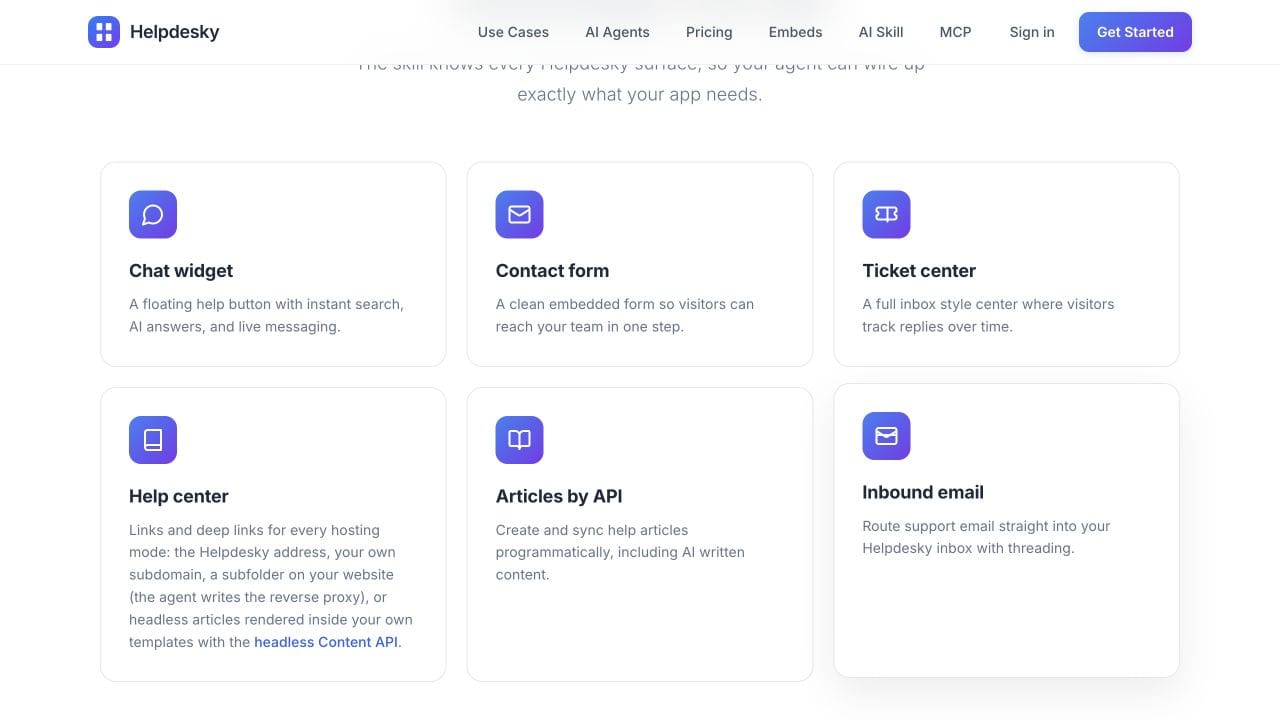
Once you have chosen the workflow, the integration skill reference supplies implementation guidance. Keep setup work separate from deciding who will maintain the resulting customer journey.
What should go into the release handover?
For the scheduled reports example, a useful handover might say: workspace administrators can create schedules, delivery follows the selected time zone, and failed deliveries need a support investigation. Those details are illustrative; your product owner must supply the actual rules.
Give the reviewer a compact record with these fields:
- Customer change: What can the user do now that they could not do before?
- Eligibility and limits: Which accounts, roles or plans can use it?
- Evidence: Which approved brief or verified product behaviour supports the explanation?
- Existing answers: Which articles need updating, and which should stay unchanged?
- Exception route: What should a customer do when the expected result does not happen?
- Ownership: Who approves the wording, releases it and handles the first questions?
Ask the agent to compare the brief with existing help content before producing a new page. A revised article may serve customers better than another near duplicate that leaves the old answer visible.
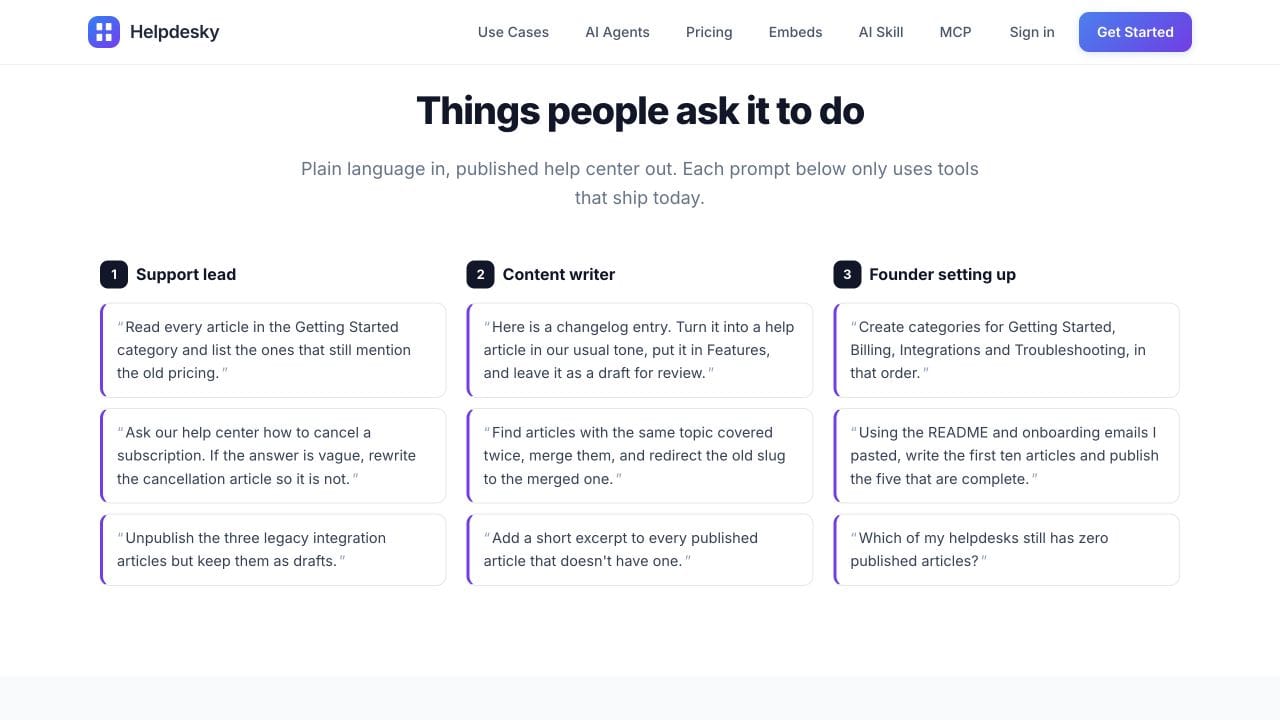
HelpDesky's public MCP examples include turning a changelog entry into a draft and finding outdated help content. Those documented tasks fit this handover, provided a person reviews the source facts and the saved result.
How do you keep human escalation connected to the release?
Test a question that the new article cannot answer, such as a report that never arrived. The support owner needs enough context to investigate, a way to involve the developer and a clear responsibility for replying to the customer.
Agree what a useful escalation contains: the reported outcome, the expected behaviour, relevant account context and the next investigation step. Collect only information needed for the case. Do not put private customer details into a public article or reuse a conversation as public source material without reviewing it.
Check the return journey too. Can the customer find the reply later? Can a teammate see what has already been tried? A helpful first answer is only one part of a case that remains unresolved overnight.
Our guide to forms, AI answers and ticket portals helps choose the customer route. Do not assume that context transfers automatically between channels; include that behaviour in your trial.
What would a useful trial prove?
Choose one modest feature with an ordinary question and a realistic exception. Use test information, nominate a reviewer and record the outcome of each stage.
- Confirm the feature brief against the released product.
- Prepare one article update and inspect the saved draft.
- Review the wording and deliberately approve its publication.
- Find the answer through the customer help entry point on desktop and mobile.
- Send a test question that needs a person and follow the reply through to completion.
- Review what should change in the article or product after the test.
Record where the workflow needed manual intervention. That is useful buying evidence, not a failed trial by itself. A simple process your team can maintain may fit better than a more automated process with unclear ownership.
Before granting publication access, use our AI publishing permissions checklist to evaluate approval, conflicting edits and recovery. A suggested review procedure should not be mistaken for a platform enforced approval requirement.
Anthropic's introductory video explains MCP, the connection behind this part of the workflow. It is protocol background, not a demonstration of Cursor running HelpDesky or evidence that a release handover has been tested.
Watch Anthropic's MCP introduction if the player is unavailable.
What should a small team budget for?
The HelpDesky pricing page lists Free at $0 for one workspace, unlimited seats, 15 published articles and 15 monthly conversations. Pro costs $15 monthly for one workspace with unlimited seats, articles and conversations. Code 40OFF6 currently gives $9 monthly for six months, then $15.
Your coding agent subscription and connected AI provider usage are separate costs. HelpDesky's own key approach gives you supported provider and model choice and visibility into the provider's usage bill. Check the selected provider's spending controls before assuming a budget setting guarantees a hard stop.
Budget review time as well. The process still needs someone who understands the product, approves customer explanations and follows unresolved questions. Start with one release, then expand only when those responsibilities are clear.
Frequently asked questions
Does using Cursor mean we need a new help desk?
No. If your current documentation and support inbox work well, first improve the handover between a release and customer support. Change tools when a specific gap remains.
Can the coding agent write the help article?
It can help prepare a draft when it has the relevant source material and tools. A person should confirm product facts, limitations and the decision to publish.
Do we need both an integration skill and MCP?
They serve different needs. The HelpDesky skill guides application code, while MCP provides supported service actions. Use the combination when your project needs both kinds of work.
Who owns a question that needs engineering?
Choose a support owner for the customer reply and an engineering owner for the investigation. The same person can fill both roles, but the next action should remain explicit.
Should every release create a new help article?
No. Review existing answers first. A small change may need an update to one paragraph, while a new customer task may deserve a separate article.
Does the platform fee include unlimited AI usage?
No. Pro's unlimited conversations and articles do not make external AI usage free. Keep the support subscription, coding agent charges and connected provider usage separate in your budget.