
Agent Skills or MCP for customer support: which do you need?
Skills provide reusable procedures; MCP connects agents to tools and data. Learn which part your SaaS support workflow needs and how HelpDesky combines both.
Sources checked on 21 October 2026. Published by HelpDesky. Examples are suggested evaluation scenarios, not claims of completed client testing.
What are you asking the agent to change?
Start with the destination of the work. Adding a support button to your application changes your codebase. Updating a published help article changes content in a service. Those jobs can belong to the same project while needing different capabilities.
| Your task | Start with | Check the result |
|---|---|---|
| Add support to your app | A skill and code editing tools | Review the code and customer journey |
| Read or update live help content | A suitable MCP connection or API | Inspect the saved service record |
| Apply your editorial process repeatedly | A skill with the required tools | Check sources, wording and review state |
| Integrate the app and configure its help desk | Both, where supported | Verify each side of the integration |
The decision is about missing capability. If the agent can already call your API safely, MCP is not automatically necessary. If it already follows a simple one off instruction reliably, packaging a skill may add little.
What does an Agent Skill provide?
The Agent Skills overview describes a folder centred on a SKILL.md file. It contains metadata and instructions, with optional scripts, references and other resources. Compatible agents can load the detailed instructions when a relevant task arises.
For a support team, a skill could explain how to turn an approved product change into a customer explanation: identify affected users, check limitations, use the team's terminology and prepare a draft. That is a reusable process, rather than a new connection to the help desk.
A skill is not limited to passive advice. The format specification permits bundled executable scripts. What it can accomplish therefore depends on its contents and the tools, credentials and permissions available to the agent running it.
This distinction prevents a common buying mistake. “We have a skill” does not establish that an agent can retrieve your current tickets, edit your repository or publish an article. Ask which of those capabilities the complete setup actually provides.
What does MCP add?
The MCP architecture reference describes a protocol through which AI applications connect to servers exposing tools, resources and prompts. A server can provide access to information or actions that the agent would otherwise need another integration to reach.
MCP does not inherently mean a hosted cloud service, and it does not mean every server can write. Some servers focus on retrieval; others expose changes. Your chosen client still needs to support the connection and make the relevant capabilities available.
For example, a tool that retrieves the current cancellation article gives the agent source material. A separate action might save a revision. Neither action tells it which customer wording your team prefers. A skill can supply that procedure while the connection supplies access.
If the missing piece is live help centre access, our guide to choosing an MCP server covers the capabilities to evaluate before selecting one.
How do HelpDesky's two routes work together?
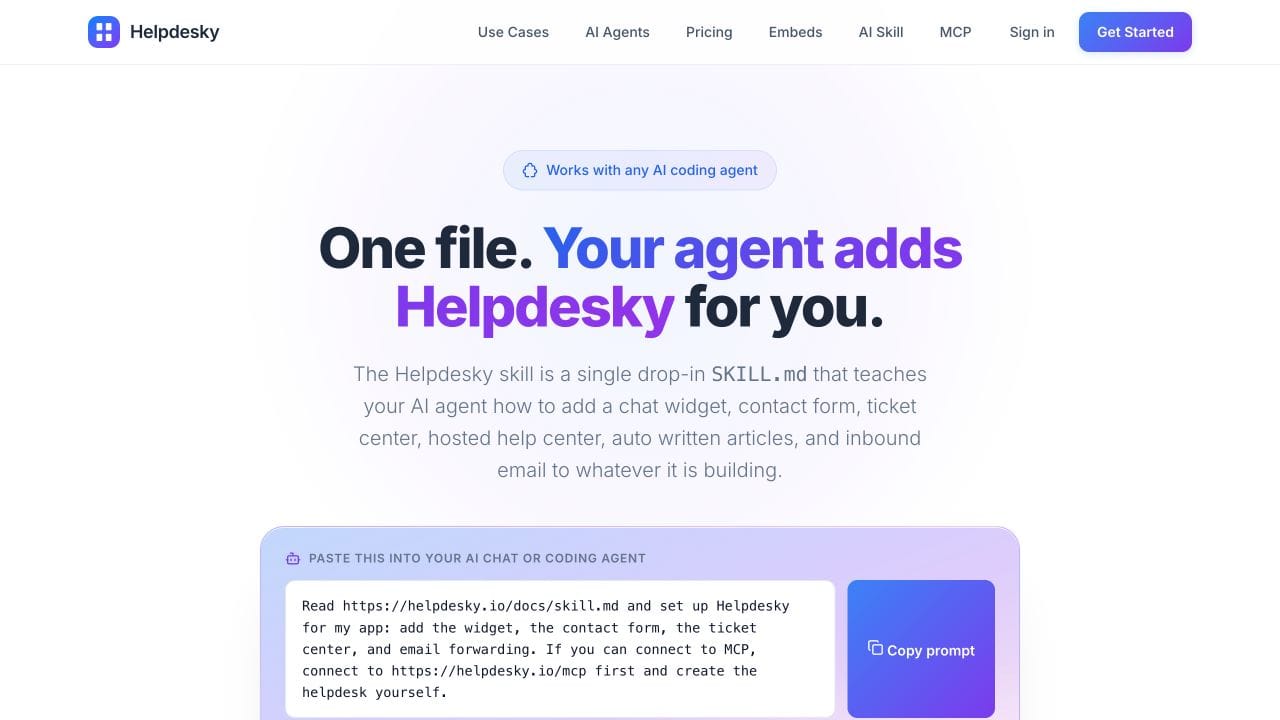
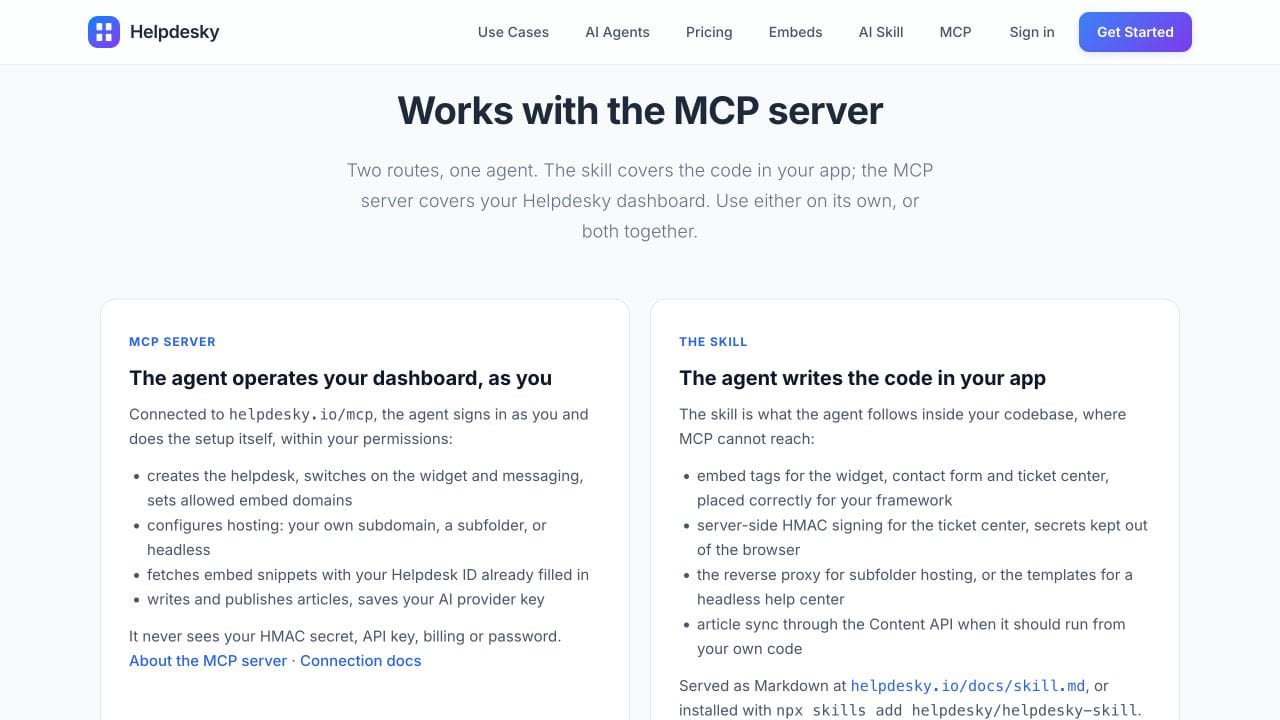
The HelpDesky integration skill covers work in your app, such as embedding the widget or contact form, adding the ticket centre and integrating a help centre. The public skill describes the required application code and supporting setup.
The HelpDesky MCP server operates the service side within the connected operator's permissions. Its documented actions include creating and updating articles, publishing, and configuring supported help desk settings. It does not write your application's embed code for you.
HelpDesky's current integration instructions explicitly explain how to combine the routes. An agent with both capabilities can use service tools for setup and follow the skill for code changes. Without MCP, the skill can still guide the code work while a person handles dashboard setup.
For implementation details after making that choice, use the HelpDesky Agent Skill setup guide. Keep the buying decision focused on the workflow you need, rather than choosing a platform solely because it has a skill or connector.
What would a useful trial look like?
Imagine a small SaaS team launching a new export feature. The app needs a support entry point, and the help centre needs a clear explanation of the feature's limits. Split the trial into two deliverables.
First, ask the coding agent to propose the app integration using the relevant skill. Review where the support interface appears and how it behaves for the intended user. A plausible code diff is not proof that the customer journey works.
Second, provide an approved feature brief and ask the connected agent to prepare the help article. Check its facts against the brief and inspect the saved draft. Decide explicitly when it should become public.
For a recurring workflow, a team skill could preserve the editorial sequence and review criteria. The live tools would still need appropriate access each time. This is a proposed way to evaluate the combination, not a promise that every agent will execute it without supervision.
Anthropic's video explains Agent Skills and compares them with MCP at around 1:42. It is useful background on the distinction, rather than a HelpDesky product demonstration.
Watch Anthropic's Agent Skills explanation if the player is unavailable.
What should you check before choosing?
- Actual access: Can the agent reach the required code and service, with your intended account?
- Current instructions: Does the skill match the product today, including supported integration routes?
- Review boundaries: Which changes need a human decision, and how will you inspect the saved result?
- Maintenance: Who updates the skill or integration when a product changes?
Do not treat an instruction file as an access control. Review any scripts it includes and the permissions of the tools it can use. Equally, an MCP connection does not establish the correctness of the content an agent writes.
HelpDesky's current documentation describes both the skill and MCP. Older descriptions saying it provides only a skill are outdated. Check your chosen client's current support rather than assuming all agents load skills or expose the same tools identically.
What costs belong in the decision?
Separate the support platform from the external AI agent. HelpDesky Free includes one workspace, unlimited seats, 15 published articles and 15 conversations per month. Pro is $15 monthly for one workspace with unlimited seats, articles and conversations. Code 40OFF6 currently gives $9 monthly for six months, then $15.
The AI client doing the coding or using MCP may have its own charges. HelpDesky features using your own AI key also incur separate provider usage. Supported provider and model choice gives you visibility and control over that provider account; verify its spending controls before assuming a hard cap.
Our guide to separate AI usage costs explains that budgeting question. Neither a skill file nor an MCP connection makes AI consumption unlimited or free.
Frequently asked questions
Can a skill call a live API?
Yes, if the agent has suitable tools and authorised credentials, or the skill includes code that uses them. MCP is one connection route, not the only possible way to reach live data.
Does installing a skill connect my help desk?
Not by itself. The skill supplies instructions and resources. Service access and any required authentication still need to be available.
Do I need both for a simple widget integration?
Not necessarily. HelpDesky's skill can guide the app code while you configure the dashboard yourself. MCP becomes useful when you also want the agent to perform supported service actions.
Can MCP replace our editorial instructions?
It can expose useful tools and context, but a connection alone does not define your editorial process. A skill can capture that process for repeat use.
Is an integration skill the customer chatbot?
No. It guides the agent doing the integration. The support interface your customers use is a separate part of the product.
Which should we evaluate first?
Start with the missing part of a real task. Evaluate a skill when the agent needs a repeatable method, live tools when it needs service access, and both when the work spans your app and help desk.