
HelpDesky vs SiteGPT: AI chatbot or complete support system?
Choose between a connected support hub and an AI layer for your existing tools. Compare HelpDesky and SiteGPT on knowledge, escalation and real costs.
 Will Slatton ·
· 7 min read
Will Slatton ·
· 7 min read

Quick answer: Choose HelpDesky when you need a public knowledge base, AI answers and a place to manage customer conversations together. Choose SiteGPT when your main job is adding an AI chatbot to content and support tools you already use. SiteGPT also offers human escalation and live agent options, so this is a choice about the support workflow you want to own, not whether you care about human help.
This comparison is published by HelpDesky. We checked both products’ public pricing, documentation and demos on 27 September 2026. It is a buying guide based on those sources, not a benchmark of answer accuracy or a claim that we have run either product inside your business.
What are you actually buying?
A chatbot answers a question. A support system also needs somewhere to publish the answer, receive the unresolved request and keep track of the reply. Those jobs can live in one product or several connected products.
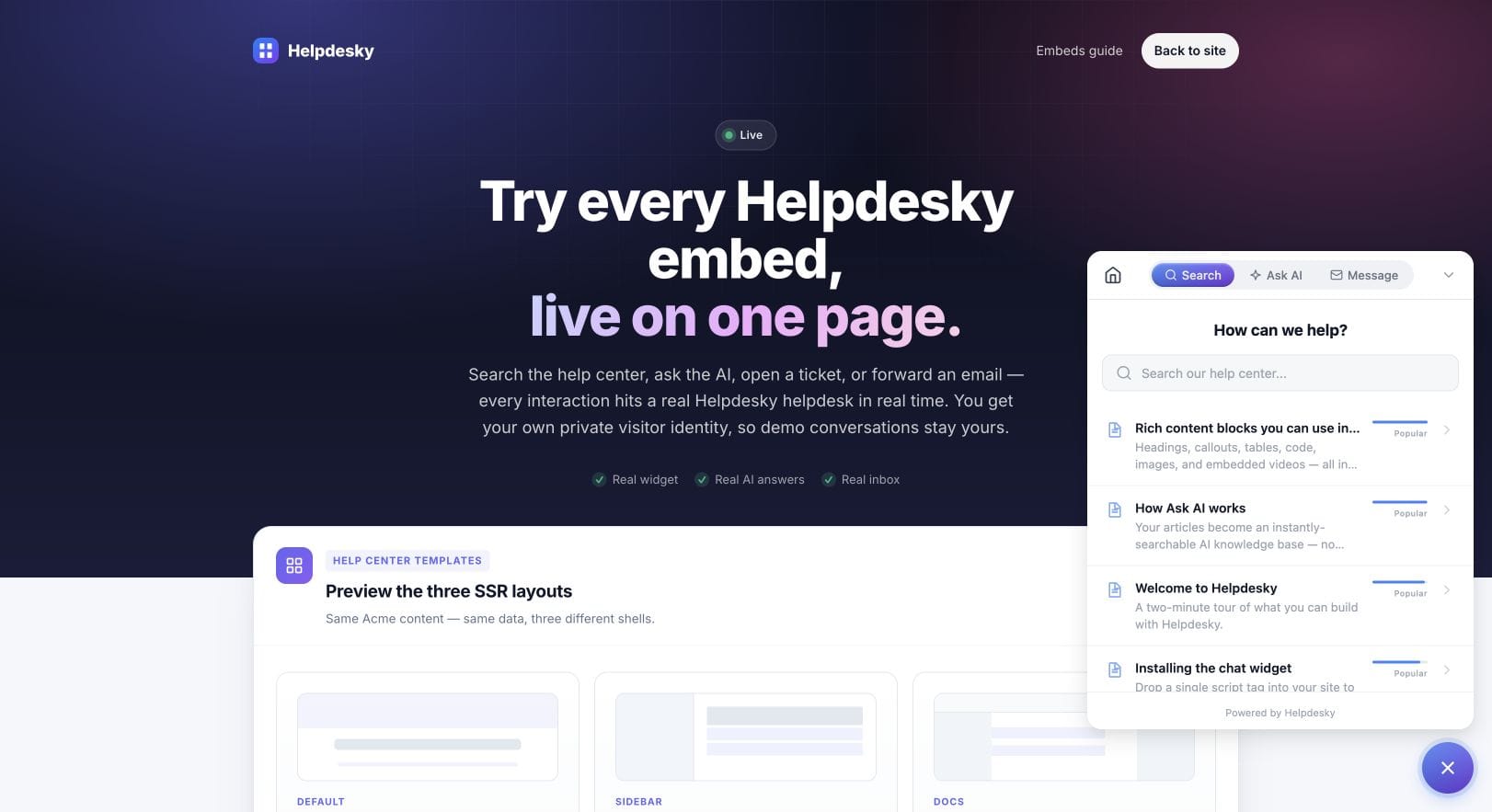
HelpDesky brings a published help centre, searchable widget, Ask AI, contact form and ticket centre into the same product. Its customer support embeds show the different ways customers can reach that information and your team. Messaging is currently labelled beta, which matters if it will be central to your service.
SiteGPT concentrates on AI trained on your content. Its source and messaging integrations include website content, files, cloud documents and existing chat tools. That is useful when the information already lives in several places and you want to keep those systems.
| Your starting point | HelpDesky | SiteGPT |
|---|---|---|
| You need to publish customer help | A hosted knowledge base is part of the product. | Assess it primarily as an AI layer over content you supply. |
| You already like your support stack | Consider whether moving the workflow is worthwhile. | Check whether its connectors fit the tools you want to keep. |
| A customer needs a person | Messaging and a ticket centre provide routes to your team. | Human escalation, agent options and connected inboxes provide routes to your team. |
| You want predictable costs | Budget the subscription and separate AI provider usage. | Budget the plan, its message allowance and any extras. |
Here, “complete support system” means the core knowledge and conversation workflow for a small team. It does not mean every enterprise channel, routing rule or service commitment is included. Write down your essential requirements before treating either product as a replacement for an established helpdesk. If you are still defining those needs, our guide to choosing support software for a small SaaS gives you a starting framework.
Where will your support knowledge live?
HelpDesky’s explanation of how Ask AI uses published articles describes answers grounded in your help centre, with links back to the source articles. This suits a team that wants the same maintained explanation available to readers and to the AI.
For example, a small SaaS might publish its cancellation policy once, make it searchable and let visitors ask questions about it. The editorial work is still yours: an incomplete policy does not become complete because a chatbot can read it.
SiteGPT is worth considering when the source material is already spread across a website, documents and other systems. Its integrations page lists connections such as Google Drive, Notion and GitHub. Check the permissions and refresh behaviour of the specific sources you need. A connector being available is only the beginning; someone still needs to own the accuracy of the material it imports.
The choice is therefore partly about content ownership. Do you want to build and maintain the public help centre here, or keep your current publishing setup and add a conversational layer? Avoid migrating useful documentation merely to get a different chat bubble.
What happens when AI cannot solve the problem?
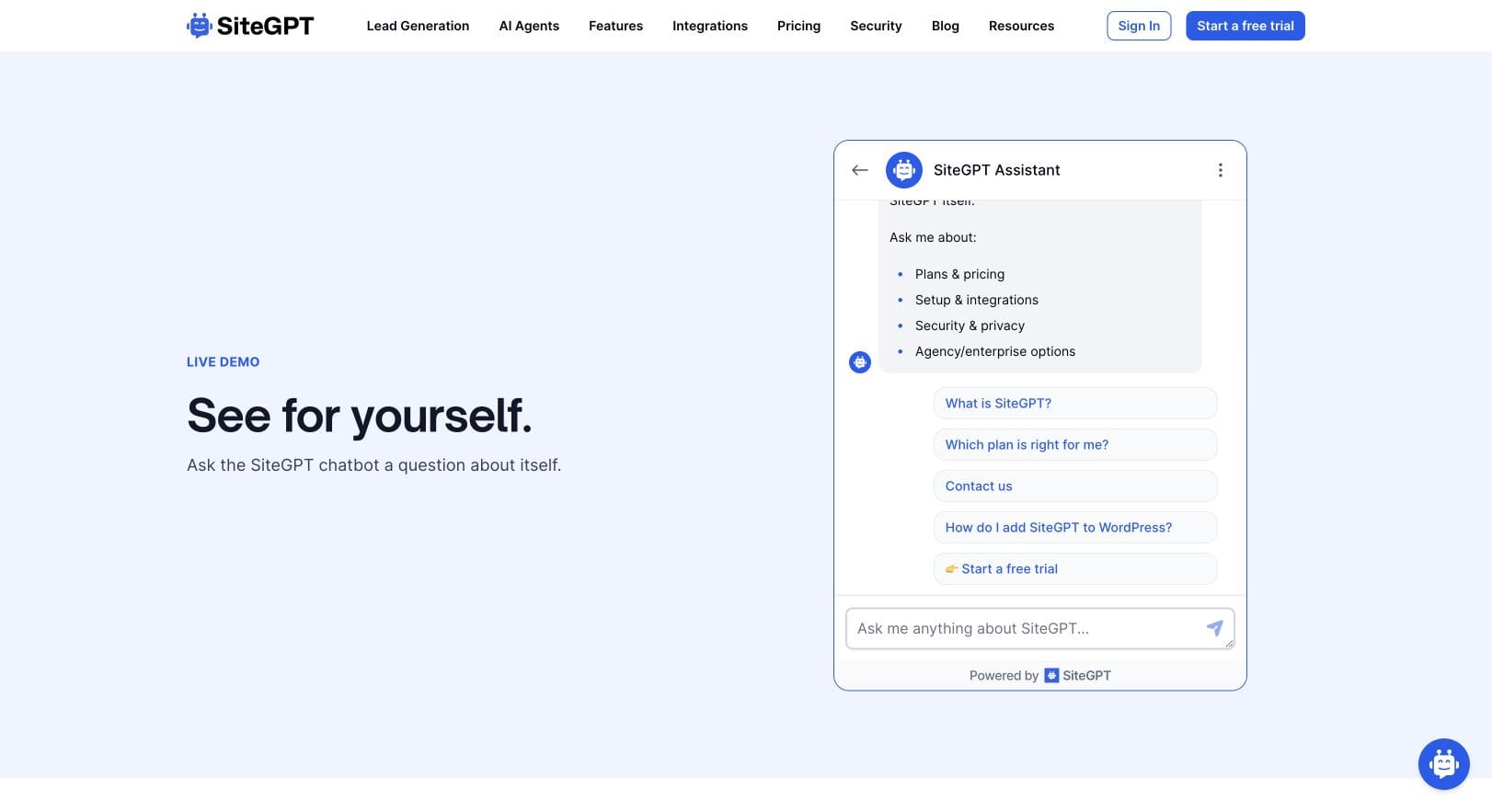
SiteGPT has a documented human support escalation flow. Visitors can request a person; the conversation is flagged and notification emails can include the transcript and collected contact details. Its iOS inbox also offers agent takeover on Growth and above. It would be inaccurate to describe SiteGPT as a bot with no human fallback.
HelpDesky gives customers routes into conversations through its widget, contact form and ticket centre. The ticket centre’s identity verification model is relevant if you want signed in customers to see their own support history inside your app. That requires server integration; it is not simply an anonymous form placed on a page.
Do not assume these journeys are identical. A Message tab and a chatbot escalation button can collect different context. In your trial, follow one unresolved question from the visitor’s screen to the person answering it. Check what information survives, who is notified and how the customer returns to the reply.
Imagine someone asks why an invoice is wrong. A public pricing article might explain the plan, but it cannot establish what happened to that person’s payment. The useful outcome is an owned conversation with the right context. A confident generic answer is not a resolution.
How do the prices compare?
The figures below are in US dollars, checked on 27 September 2026. Use the live HelpDesky plans and SiteGPT pricing to confirm your billing choice and any applicable taxes before subscribing.
| Plan | Monthly billing | Selected allowance |
|---|---|---|
| HelpDesky Free | $0 | 1 helpdesk, 2 published articles, 10 conversations per month |
| HelpDesky Pro | $9 | 1 helpdesk, 50 articles, 150 conversations per month |
| HelpDesky Ultimate | $29 | 3 helpdesks, unlimited articles and conversations |
| SiteGPT Starter | $59 | 1 chatbot; up to 4,000 GPT-4.1-mini messages or 400 GPT-4.1 messages |
| SiteGPT Growth | $129 | 2 chatbots; up to 10,000 GPT-4.1-mini messages or 1,000 GPT-4.1 messages |
| SiteGPT Scale | $429 | 3 chatbots; up to 40,000 GPT-4.1-mini messages or 4,000 GPT-4.1 messages |
SiteGPT’s annual equivalents are $39, $79 and $259 per month respectively, billed as $468, $948 and $3,108 yearly. Those are annual commitments, not the monthly billing prices. Its trial lasts seven days and requires a credit card.
HelpDesky includes unlimited seats across these plans. Its AI provider requirements and billing explanation confirm that you bring your own provider key and pay that provider separately. Unlimited conversations on Ultimate therefore do not mean unlimited free AI usage.
SiteGPT’s included message quota depends on the model you use. Also check any extra message capacity or branding removal you need. A HelpDesky conversation and a SiteGPT AI message are different units; dividing one price by the other allowance would produce a misleading cost comparison.
For your budget, put three numbers next to each option: the software subscription, usage or extras, and any tools you must retain. If you keep an existing helpdesk alongside SiteGPT, include that bill. If you choose HelpDesky, include provider usage and the time needed to organise your knowledge base. The lowest headline price is only one part of the decision.
When is SiteGPT the better fit?
I would shortlist SiteGPT first if your existing support desk works well and the missing piece is answering repetitive questions from content across several sources. Preserving a working inbox, existing documentation ownership and a familiar team routine can matter more than consolidating tools.
It is also worth examining if mobile agent takeover or a particular supported integration is essential. Verify the plan and the actual conversation path during a trial. Do not infer that every connector is available on the entry plan.
The official video below gives a visual introduction to SiteGPT’s chatbot approach. It is an older overview, so use the current documentation and pricing above for today’s features and limits.
When is HelpDesky the better fit?
I would start with HelpDesky when you are building the support foundation: public answers, a widget and a place for ongoing conversations. That is especially relevant if a small team currently spreads the same explanations across email replies and scattered documents.
The benefit is a shared home for the core workflow. The tradeoff is accepting HelpDesky’s feature scope, assessing messaging while it is in beta and managing your AI provider account. Test the live HelpDesky demo to see whether the customer experience matches the service you want to offer.
Before choosing, take ten common questions from your own support history. Include one the documentation answers well, one with missing information and one that needs account access. Try the same set in each shortlisted setup. Record whether the answer is supported, whether a person can take responsibility and whether the customer can find the next step. Choose the workflow your team can maintain every week.
Frequently asked questions
Can either product guarantee accurate AI answers?
No guarantee is established by this comparison. Public feature descriptions are not evidence of accuracy on your data. Test ambiguous questions, missing policies and outdated articles, as well as straightforward questions. Review the source links instead of judging an answer by how confident it sounds.
Should I migrate all my existing documentation?
Only if changing the publishing workflow solves a real problem. Start with a representative set of current articles and check ownership, links and maintenance effort. A useful chatbot does not by itself justify moving a help centre your customers already rely on.
Can a chatbot handle refunds or account changes?
Answering a policy question does not establish permission or technical ability to change an account. Treat actions such as refunds as separate requirements. Verify authentication, integrations and human approval where needed rather than assuming a knowledge based answer performs the action.
What should I check if nobody monitors support overnight?
Check that the customer can leave enough information, receives a realistic expectation of a reply and can return to the conversation. Test notifications with your actual staffing arrangement. An escalation option is only useful when someone takes responsibility for the queue.
Does publishing a help centre guarantee search or AI visibility?
No. Public, useful articles give people and search systems material to discover, but neither a chatbot nor a help centre guarantees rankings or citations in AI answers. Keep pages accurate and clearly organised, and assess discovery separately from support resolution.
How should I judge the trial?
Agree the required outcomes before you start: supported answers, a workable human response path, manageable content updates and an acceptable total bill. Keep examples of failures as well as successes. Select the product that meets those needs without adding work your team cannot sustain.