
Which help desks offer unlimited seats without per user pricing?
Unlimited seats can remove the cost of adding teammates, but usage and feature limits still matter. Compare real monthly examples for a growing support team.

Quick answer: HelpDesky and tawk.to both offer unlimited human seats. HelpDesky charges by plan and capacity; tawk.to makes its core software free and charges for optional services. Crisp uses workspace plans with a set number of included seats, which is a different model. To compare them fairly, count the people who need access, then add the cost of the features and usage your team actually needs.
Prices checked on 1 October 2026. Figures below are in US dollars for monthly billing, before applicable taxes. This is a focused shortlist, not an exhaustive market ranking or a claim that the products have identical features. HelpDesky publishes this guide.
What does unlimited seats actually mean?
A seat normally represents a person who can use the support workspace. Unlimited seats means that adding another human teammate does not create another seat charge on that plan. It says nothing by itself about the number of customer conversations, the size of your help centre or your AI bill.
There are three useful pricing models to distinguish:
- Per person: the subscription increases as you add billable support users.
- Included seats: a workspace fee covers a fixed number of people. You may need a larger plan or extra seats when you cross that allowance.
- Unlimited seats: headcount is not the subscription multiplier. Other limits can still require an upgrade.
The distinction matters when a developer helps with technical cases once a week or a founder covers holidays. Their access may be valuable even if they rarely reply. Work out who needs to read, comment, answer and administer the system before counting seats. A restricted collaborator account is not necessarily equivalent to a full support account.
Which options remove the human seat multiplier?
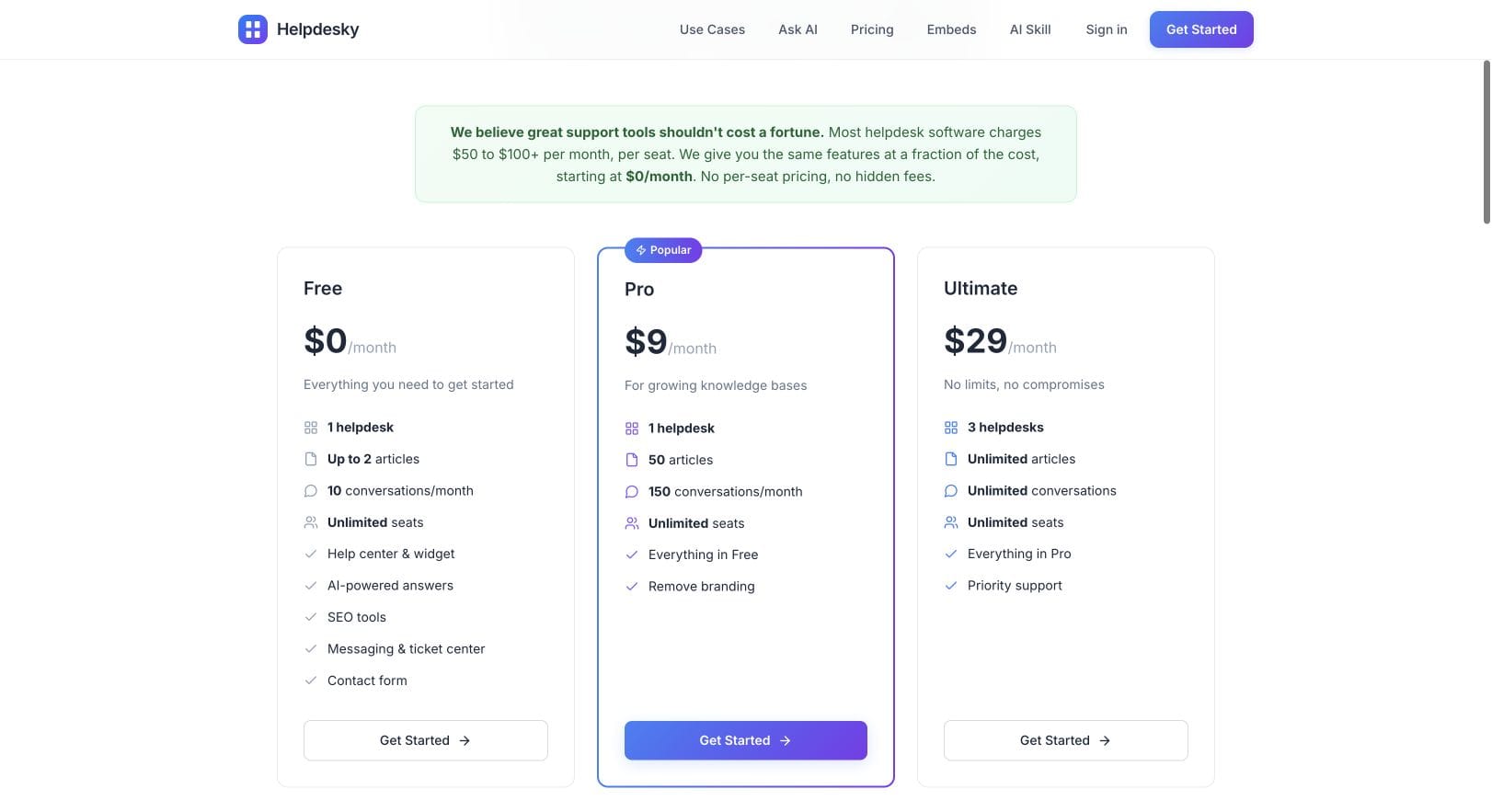
HelpDesky’s current plans all include unlimited seats. Free is $0 with two articles and ten monthly conversations. Pro is $9 with 50 articles and 150 monthly conversations. Ultimate is $29 with unlimited articles and conversations. Free and Pro include one helpdesk; Ultimate includes three. Pro and Ultimate remove HelpDesky branding.
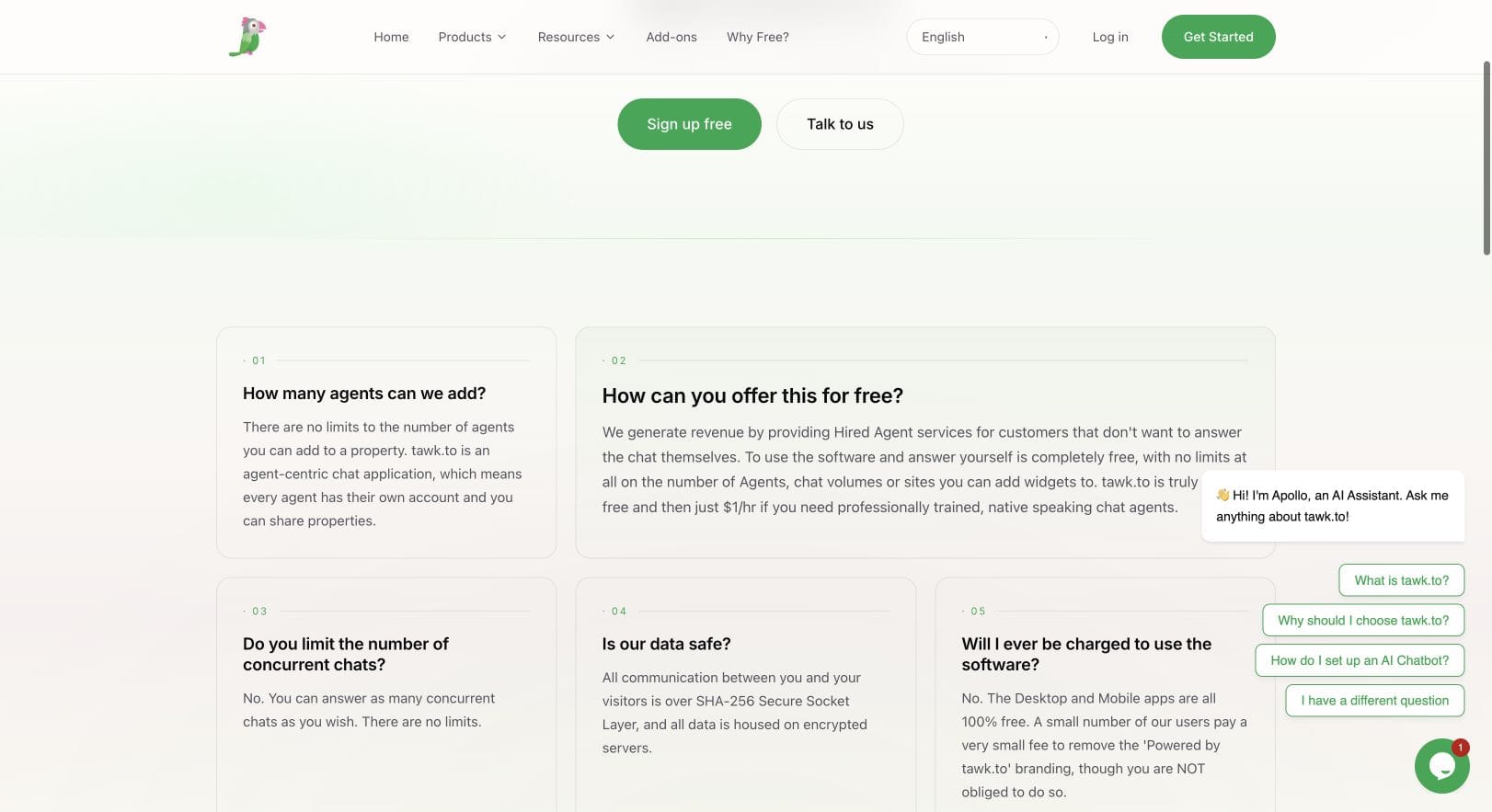
tawk.to’s official FAQ states that you can add unlimited agents to a property and use the software free when your own team answers chats. It also states there is no limit on concurrent chats. This is an option to investigate when human chat access is your main requirement and you are comfortable evaluating optional extras separately.
Crisp’s pricing page describes a workspace model. Free includes two seats, Mini four, Essentials ten and Plus twenty. That can still be predictable for a small team, but a bundle of seats is not unlimited seats. Its public knowledge base starts on Essentials. Our HelpDesky and Crisp comparison goes further into the feature differences.
What do teams of one, three, five and ten pay?
This table isolates the monthly software subscription needed for the stated seat capacity. It does not assume that a free chat tool, a help centre and an AI support package are interchangeable. Select the required feature package first, then use headcount to check its fit.
| Option | 1 person | 3 people | 5 people | 10 people |
|---|---|---|---|---|
| HelpDesky Free | $0 | $0 | $0 | $0 |
| HelpDesky Pro | $9 | $9 | $9 | $9 |
| HelpDesky Ultimate | $29 | $29 | $29 | $29 |
| tawk.to core software | $0 | $0 | $0 | $0 |
| Crisp, lowest plan by seat count alone | $0 Free | $45 Mini | $95 Essentials | $95 Essentials |
| Crisp with its public knowledge base | $95 Essentials | $95 Essentials | $95 Essentials | $95 Essentials |
The table uses the HelpDesky allowances, tawk.to seat terms and Crisp monthly plans checked above. AI consumption and optional services are not included in these figures. No annual commitment discount has been mixed into the monthly comparison.
Read each row horizontally. A flat row tells you what happens when headcount grows while the workload stays the same. It does not tell you what happens when your customer base doubles. A team of ten handling 100 conversations can have different requirements from one person handling 2,000.
How do you calculate the complete software bill?
Use this worksheet: required plan + optional services + AI consumption + any usage charges + applicable taxes. Keep migration work and staff time in a separate operating budget. Otherwise a lower licence bill can obscure a much larger change in workload.
For HelpDesky, the Ask AI requirements and billing notes explain that you connect your own AI provider key and the provider bills usage separately. The documentation recommends a provider spending cap and regular monitoring. A HelpDesky subscription is therefore not a promise of free AI consumption.
For tawk.to, AI Assist billing documentation lists Growth at $29 a month with 1,000 monthly message credits and three AI agents. Each AI message consumes a credit, including use through Smart Reply and AI Commands. Additional purchased credits cost $30 per 1,000. Those three AI agents are bots, not a cap of three human colleagues.
tawk.to’s current optional services page lists Whitelabel at $29 a month per property. That matters if removing the badge and using your own branding are requirements. It is optional; do not add it to the cost of a team happy with the standard branding.
Here is a more useful comparison than multiplying a headline price by ten. Suppose you want one support workspace, your own branding and AI answers, and your usage fits the selected allowances:
- HelpDesky Pro: $9 plus your actual AI provider bill, provided the article and conversation allowances fit.
- HelpDesky Ultimate: $29 plus your actual AI provider bill when you need its larger capacity.
- tawk.to with Growth and Whitelabel: $58 before extra AI credits or any other optional service, calculated as $29 + $29 for one property.
Those software totals apply equally to one, three, five and ten human users. They are conditional examples, not quotes for equivalent outcomes. A thousand AI messages cannot be treated as a thousand customer conversations: one conversation may need several replies. Measure the relevant unit in a trial before estimating the monthly bill.
Crisp publishes this supporting video about managing Hugo AI costs. It is a vendor explanation of its own product, useful for understanding why AI usage deserves a separate budget line. It is not an independent benchmark of the tools in this guide.
Which limits should you check before inviting everyone?
Write down your requirements before testing a plan. This short checklist catches the common gaps between a seat promise and a usable support system:
- Access: can each person do their actual job, with an individual account and suitable permissions?
- Capacity: how many help centres, articles and monthly conversations do you need today?
- Customer experience: do you need a public knowledge base, a customer ticket view, email support or chat?
- AI: what is billed, who bills it and what happens when the allowance or spending cap is reached?
- Growth: does the next bottleneck require a plan change, an extra service or a different tool?
Run a small, representative set of support cases through the shortlist. Include a question answered by documentation, an ambiguous question that needs a person, a technical case and a conversation that resumes the following day. Check ownership and handover as carefully as the bill. A low subscription does not compensate for losing track of a customer.
If a customer ticket portal is essential, read the HelpDesky ticket centre setup requirements before committing. Account identity and integration work are part of the buying decision. Our guide to the support tools a small SaaS actually needs can help define the broader workflow.
When should you choose an unlimited seat help desk?
It is particularly useful when support is shared across a small company. You can evaluate access for occasional contributors without assigning a new recurring licence cost to every person. That makes sense only if the platform also supports the work those people need to do.
Start with HelpDesky when you want a help centre and support tools with a plan cost that does not grow with human headcount. Evaluate tawk.to when free core chat access suits your needs and its optional services fit your budget. Consider an included seat workspace such as Crisp when its package is the better workflow fit and your team fits the allowance. Pick the product using the real support job, then check how its bill grows.
Frequently asked questions
Does unlimited seats include unlimited customer conversations?
No. Seats count people with workspace access. Conversations are a separate capacity measure. Check both allowances on the plan you intend to buy.
Is a workspace price always an unlimited seat price?
No. A workspace plan can include a fixed seat bundle. Crisp is an example: the listed plans include different numbers of people. Check what changes when your next colleague joins.
Does tawk.to’s three AI agent allowance limit our human team?
No. The AI Assist Growth allowance refers to AI agents. The separate FAQ states that human agents added to a property are unlimited.
Should everyone in our company have administrator access?
No. A seat allowance is a pricing term, not a reason to give everyone the same permissions. Give people individual accounts and the access their work requires. Confirm the available roles during evaluation.
How should we compare AI messages with AI conversations?
Do not equate them. Count the chargeable unit each provider defines and estimate it from representative cases. Several AI replies within a single customer conversation can consume several message credits.
Can a free plan work for a team of ten?
Possibly, if it permits ten human accounts and its features and workload allowances fit. Team size alone does not establish whether a free plan is sufficient. Test your expected volume and support workflow before moving the whole team.