
What is llms.txt, and is it useful for a SaaS help centre?
Learn what llms.txt can do, what it cannot prove and when a SaaS team should invest in maintaining it alongside its public documentation.

llms.txt is a proposed Markdown guide to a website’s useful information. It can help an AI tool that deliberately reads it find relevant documentation. For a SaaS help centre, treat it as an optional publishing aid with a specific use case, not a shortcut to search rankings or guaranteed citations. Keep accurate public articles, working navigation and appropriate access controls as the foundation.Sources checked on 7 October 2026. Published by HelpDesky. This guide distinguishes a proposed convention, documented product features and experiments you can run. It does not claim that adding a file has improved our rankings or citations.
What is actually inside llms.txt?
The current llms.txt proposal describes a Markdown file with a project heading, optional summary and sections linking to more detailed material. Its August 2026 revision allows files at the root or a subpath and recommends links to suitable Markdown resources. The idea is a concise starting point that leads an agent to the detail it needs.
That makes it closer to a guide to a collection than the collection itself. For a fictional invoicing product, useful sections might point to supported invoice formats, export limitations and integration references. The descriptions should identify what each resource explains, without duplicating all its contents.
A file’s existence proves only that someone published it. Whether a particular assistant discovers it, reads it and uses its links correctly depends on that assistant and the task. Do not turn an implementation detail into a promise about every AI system.
How does it differ from other website files?
| Resource | Main job | What it does not establish |
|---|---|---|
| Public article | Explain a topic in context for readers | That a search or answer engine will select it |
| Sitemap | Help search engines discover page URLs | Guaranteed indexing or ranking |
| robots.txt | Communicate crawler access preferences | Private content protection through authentication |
| llms.txt | Offer a guided entry point for tools that use it | Universal adoption or a citation guarantee |
Keep the human article useful when opened directly. A visitor arriving from a link should understand the answer without first reading a separate index. Likewise, a link collection cannot correct a misleading explanation on the page it points to.
Google’s current generative AI search guidance explicitly says Google Search ignores llms.txt for visibility and ranking purposes. It also distinguishes discovering or indexing a text file from treating it specially. This statement concerns Google Search, including its generative features; it does not establish how every other agent behaves.
The Google Search Central video below explains indexing as background. It helps separate publishing a resource from having a search system process and select it. It is not an llms.txt endorsement.
What counts as evidence that a platform supports it?
Look for a precise description of what the platform produces or consumes. Those are different claims. A documentation host can generate a file without controlling whether an external answer engine uses it.
For example, Mintlify documents automatic llms.txt generation and a separate llms-full.txt containing documentation content. Its guidance also explains authentication behaviour: fully authenticated sites require authentication for these files, while partially authenticated sites expose public pages in the generated files. This is useful implementation evidence, not independent proof of improved external search visibility.
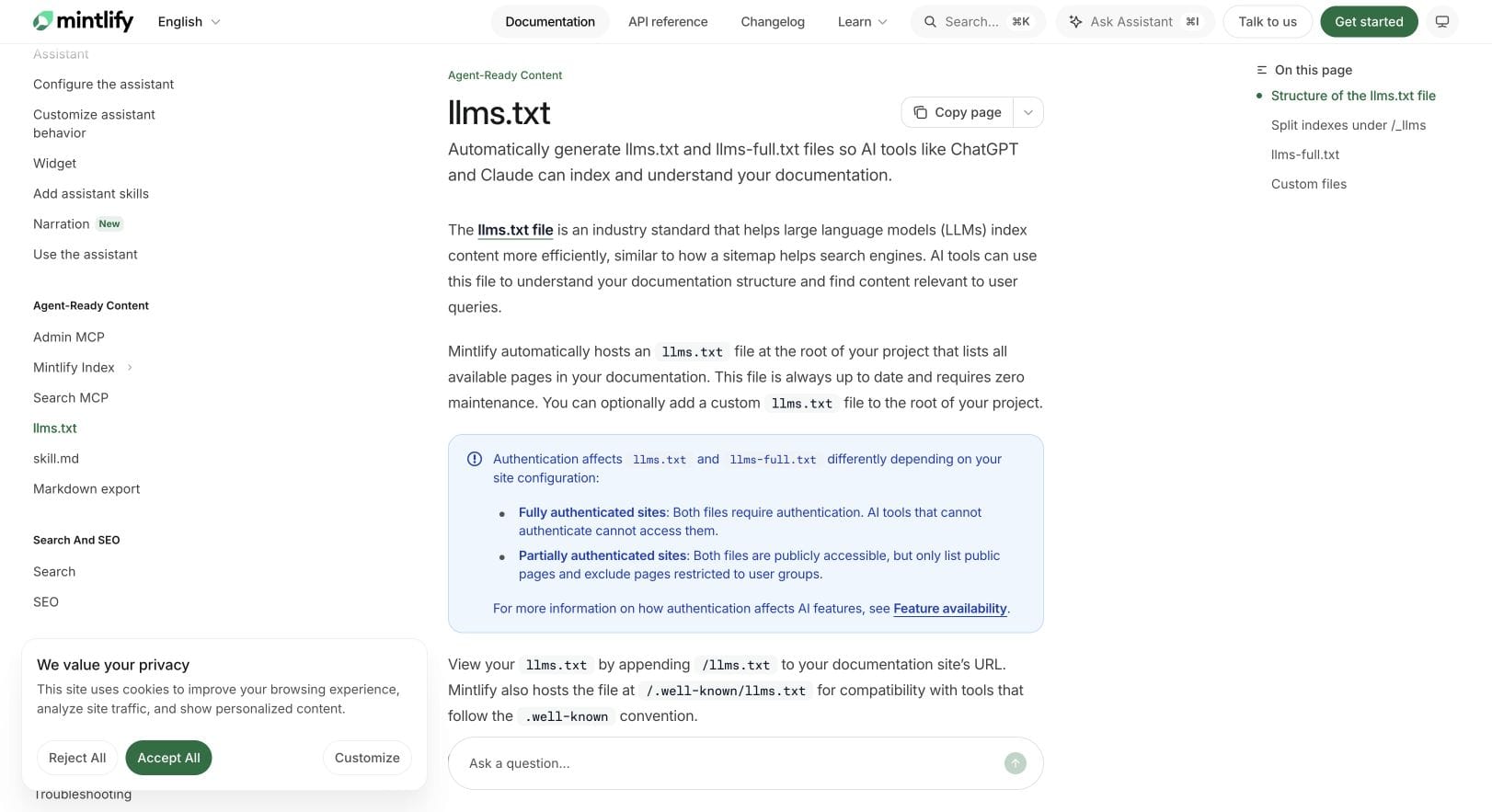
OpenAI’s crawler reference describes search and training agents separately. Perplexity’s crawler documentation explains its search bot, user retrieval and firewall considerations. Those documents answer access questions; they do not justify assuming that publishing llms.txt guarantees discovery or citations in those products.
For Claude, Copilot or Gemini, use the same evidence standard: check the particular product or workflow and its current documentation. A successful test in one coding agent is not a universal rule for consumer search assistants.
When is it worth maintaining for a SaaS help centre?
Start with the person or tool that needs it. If customers routinely ask coding agents to consult your integration documentation, a maintained entry point may have practical value. If your only objective is a higher Google position, the guidance above gives you no reason to prioritise this file for that goal.
Consider three illustrative situations:
- A small product with ten clear help articles: fixing a missing explanation or broken navigation is usually the more immediate customer benefit. Avoid creating another publishing surface without an owner.
- A developer product with a large reference library: test whether a concise guide helps an agent locate the right version and resource for a specific question.
- A help centre whose host already generates the file: include it in routine publishing checks. Automatic generation reduces manual work, but you should still check the output and destinations.
These are prioritisation suggestions, not measured performance comparisons. The decision should reflect your audience, maintenance cost and a testable need.
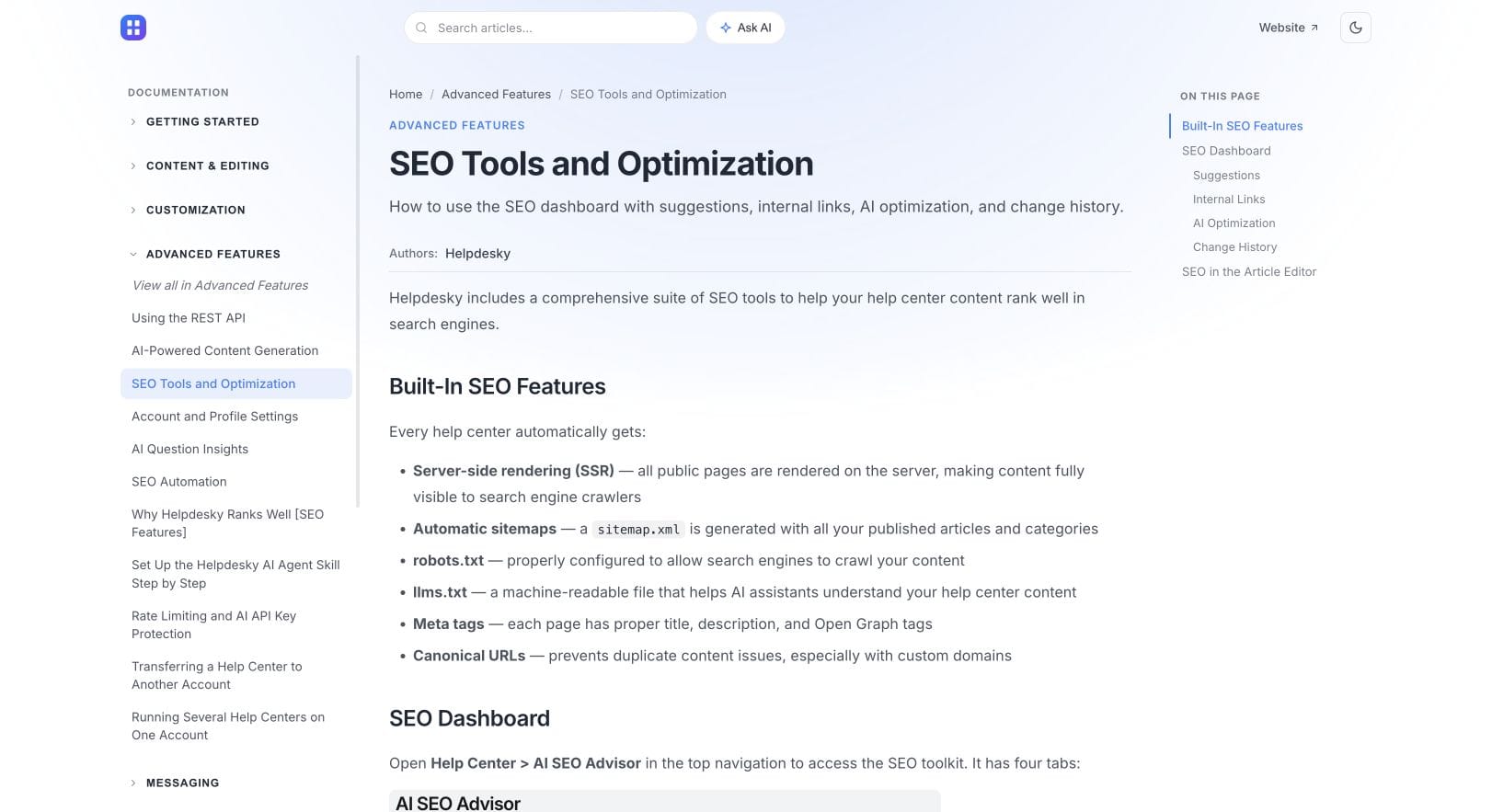
HelpDesky’s publishing feature documentation lists llms.txt alongside server rendering, sitemaps and metadata. Evaluate the full publishing workflow rather than choosing a help centre solely because that filename appears in a feature list.
What should a useful evaluation check?
Give a capable tool a concrete question and record the starting conditions. For example: can it locate the current explanation of an integration’s export limits and identify the relevant qualification? Use a question with a known answer so you can judge accuracy rather than fluency.
- Check the entry point. Confirm that the intended file is available to the intended audience and describes the correct product and documentation scope.
- Check the linked pages. Open a representative sample, including a recently moved page. Look for broken links, obsolete versions and mismatched descriptions.
- Test a bounded task. Supply the file as an entry point, ask the question and inspect the resources actually used. Record the model, mode, date and answer.
- Compare like with like. Repeat the task with the ordinary documentation entry point under similar conditions. Save failures as well as successes.
- Decide what changed. Was the answer correct? Did it find the right source? Did it miss an important limitation? Those observations are more useful than declaring the site “AI ready”.
This evaluates an assisted documentation workflow. Because you supplied the entry point, it does not demonstrate that an external engine would discover it unaided. For the separate question of public citation visibility, see our guide to checking SaaS documentation citations.
What are the maintenance and privacy traps?
The obvious failure is a stale link. The less obvious one is a correct link with an outdated description. If the summary says a feature is available to everyone but the linked page explains a restriction, the entry point has introduced confusion before the reader reaches the source.
Keep a clear source of truth for product facts. Avoid maintaining a second detailed pricing table or policy explanation inside an index when a short description and link would do. Review the generated output after migrations, permission changes and major product releases.
Do not include private hostnames, signed access links, customer examples containing personal data or unpublished plans. A public index can disclose information even if a linked page remains inaccessible. Protect confidential material with the appropriate access controls rather than relying on a filename or an instruction to a crawler.
For a small support team, the bigger goal is still dependable customer knowledge. If you are choosing a platform, our small SaaS support guide puts documentation alongside the inbox and human follow up. HelpDesky brings those parts together, so the trial should cover the reader’s whole journey.
Start with a useful public help centre. Test clear articles, navigation and a route to your team before adding complexity to your publishing process.
Frequently asked questions
Is llms.txt a requirement for Google Search?
No. Google’s current guidance says it ignores these files for Google Search visibility and rankings, including its generative search features.
Does a generated file prove ChatGPT has read it?
No. Generation and consumption are separate events. You need evidence from the particular interaction or workflow you are evaluating.
Can it replace the public help centre?
No. Customers still need accurate, accessible explanations and a dependable route through the documentation.
Is llms-full.txt the same thing?
No. Mintlify documents its full file as combined documentation content, while its llms.txt is an index. Check your own provider’s output rather than assuming identical behaviour.
Should private article URLs appear in a public index?
No. Review what the index itself reveals and preserve the intended access boundary. A URL or description can disclose information without exposing the entire page.
What if we cannot identify a tool that uses the file?
Keep the investment modest. Prioritise known customer problems and treat any proposed benefit as something to test, not a reason to promise results.