
HelpDesky vs Opendesk: help centre or service operations?
A practical comparison of flat workspace pricing, paid operator seats, AI billing and help centre hosting for small support teams.
A small team choosing between HelpDesky and Opendesk should compare the work it needs to do, as well as the subscription. This guide separates the cost of people, AI and hosting, then gives you a practical way to evaluate both products.
What does the same team cost each month?
These are regular monthly US dollar subscriptions, checked on 5 November 2026, excluding taxes and extras. Each team size counts everyone who needs to operate the inbox, including the owner. No temporary offer was displayed on either pricing page.
| Team | HelpDesky Pro | Opendesk Cloud Pro | HelpDesky base subscription difference |
|---|---|---|---|
| 1 paid operator | $5 per workspace | 1 × $18 = $18 | $13 less; 72% lower |
| 5 paid operators | $5 per workspace | 5 × $18 = $90 | $85 less; 94% lower |
| 10 paid operators | $5 per workspace | 10 × $18 = $180 | $175 less; 97% lower |
Sources: HelpDesky pricing and Opendesk pricing. Opendesk charges for owners, admins and agents; viewers are free on Pro. Its included monthly AI credit is $10 per paid user, pooled across the team: $50 for five paid operators.
These percentages compare base subscriptions, not total bills. Each is the difference divided by the Opendesk subscription, rounded to a whole percentage. HelpDesky’s separate provider usage, Opendesk’s included credit and any additional usage can change the overall comparison.
| Requirement | HelpDesky | Opendesk |
|---|---|---|
| Growing team | Unlimited seats, articles and conversations on Pro; one workspace | Unlimited mailboxes on Pro; paid operators and free viewers |
| Public documentation | Hosted, custom domain, subfolder or headless delivery | Collections, articles and a public help centre per brand; custom domains |
| Customer contact | Widget, contact form, ticket centre and email forwarding | Shared inboxes and live chat |
| Service operations | Check your required workflow in an evaluation | Documented automations, SLA targets and CSAT reports |
| AI billing | Your supported provider key; separate provider bill | Pooled credit and optional top ups; own key also supported |
The feature rows draw on HelpDesky’s customer contact options, its hosting documentation, and Opendesk’s feature overview and knowledge base guide. This is a comparison of documented capabilities, not a claim that every workflow has been tested.
Who actually needs a paid operator seat?
Consider five colleagues who all reply to customers during the week. On Opendesk Pro, all five require paid roles. On HelpDesky Pro, adding those colleagues does not change the workspace subscription.
Now consider one person who answers customers and four managers who only need to observe. The Opendesk billing guide’s free viewer roles change that calculation: this is one paid operator, not five. Ask what each colleague must do before multiplying the seat price by your entire headcount.
A founder working alone should also test the free plans. Opendesk Free permits one member and one mailbox, with $0.50 monthly AI usage. HelpDesky Free allows unlimited seats but limits the workspace to 15 articles and 15 conversations a month. Neither free plan should be treated as an unlimited production allowance.
Is your priority public documentation or service operations?
HelpDesky is worth evaluating when customers need to find published answers, ask a question through your website and continue a conversation with your team. The Ask AI documentation describes answers drawn from published articles with source citations.
That gives a small software business a coherent buying test: can a customer find the right explanation, understand it and reach a person when it is insufficient? You do not need to purchase extra human seats just to involve a developer or founder.
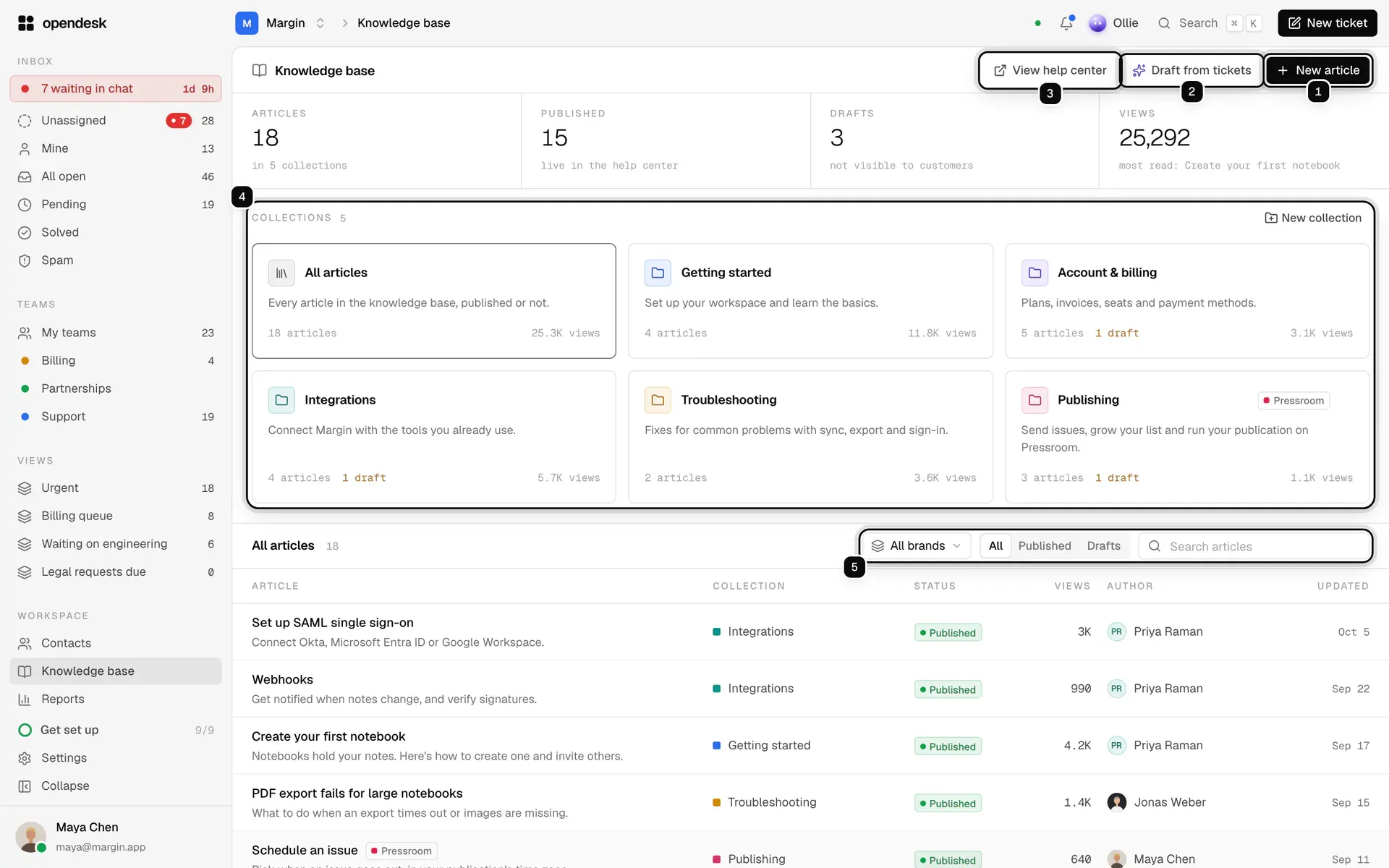
Opendesk also has a genuine knowledge base. Its documentation describes collections, brand specific help centres and article drafts created from solved tickets. Drafts remain internal until published; the public library is not simply an unreviewed dump of customer conversations.
Opendesk deserves a closer look when you need rules that route incoming tickets, targets that warn about response deadlines, or reporting by agent and channel. Its feature documentation includes those operations tools and customer satisfaction reporting. Demonstrate the particular rule and report you need before deciding that a cheaper platform is an adequate replacement.
For example, bring a case that must reach the billing team, receive a reply within your target and appear in a satisfaction report after resolution. Inspect the whole path in each candidate. A checklist containing the word “automation” is less useful than seeing your actual requirement work.
How do the AI bills differ?
HelpDesky runs AI through your own supported provider key. Its AI agents overview documents Copilot, Review and Autopilot modes, currently in beta. You can choose a supported provider and model, inspect the provider’s separate usage bill and manage spending controls there.
That is useful control, but unlimited conversations do not mean unlimited free tokens. Check whether your chosen provider’s budget setting stops requests or only sends an alert. Model availability and budget enforcement depend on the integration and provider.
Opendesk’s AI guide describes a different hosted billing route. Cloud usage draws on its balance; the billing guide states provider token cost multiplied by 1.5. Purchased top ups are optional, and automatic recharge is off by default with a configurable monthly limit.
Opendesk also accepts an OpenRouter, Anthropic or OpenAI compatible key. Do not choose HelpDesky on the mistaken assumption that it alone offers this option. Its detailed AI guide says decisions also use your key with OpenRouter. With other providers, decisions use the Opendesk balance unless a separate TypeSafe key handles them. The exact billing route therefore depends on your provider configuration; your own provider usage remains payable.
Where will your help centre live?
Opendesk documents a branded public help centre and custom domains. HelpDesky additionally documents subfolder delivery and headless publishing. If an address inside your main website or your own page templates is a requirement, make that explicit during evaluation.
HelpDesky’s subfolder option requires website routing work. Its headless option leaves your website responsible for rendering the pages. Neither is the same as running the entire help desk on your own server.
Do not buy a folder address on a promise of better rankings. Google’s current crawling and indexing FAQ says it has no indexing or ranking preference between subdomains and subfolders. Choose the arrangement your team can maintain.
Google Search Central’s short video explains that URL choice. It is an older explanation from 2017, useful for context rather than current product instructions; the FAQ above is the current reference.
For the infrastructure questions behind that choice, read our help centre subfolder comparison. Ask Opendesk to confirm any exact routing or template requirement beyond the documented custom domain option, rather than assuming an undocumented feature is available or impossible.
What about running Opendesk yourself?
Opendesk offers its software for self hosting without a subscription licence charge. That can suit a team that needs deployment control and can maintain the service. Servers, email delivery, backups, upgrades and external AI usage still belong in the operating budget.
Our self hosting cost framework uses Chatwoot as its example, but the distinction between a free licence and operating work is useful here too. Obtain Opendesk specific infrastructure estimates rather than transferring another product’s server assumptions.
Which should you shortlist?
Start with HelpDesky if your priorities are useful public documentation, customer contact tools and a predictable platform subscription as colleagues join. Its free plan lets the team evaluate the workflow; Pro removes the article and conversation limits for $5 a month.
Shortlist Opendesk when its service operations features or self hosting route meet requirements that matter more than the seat subscription. In either case, test a documentation question, a human handover and a case that crosses teams. Record the outcome, the expected monthly bill and who will maintain the system.
Frequently asked questions
Does Opendesk include a help centre?
Yes. Its knowledge base supports collections, published articles and a public help centre per brand, including custom domains. The comparison is about fit and cost, not the presence or absence of documentation.
Are Opendesk viewers charged like agents?
No on Pro: viewers are free, while owners, admins and agents are paid. Count the people who need to take action in the inbox, not everyone who may look at it.
Does HelpDesky’s $5 price include AI usage?
No. It covers Pro for one workspace with unlimited seats, articles and conversations. Your connected AI provider charges separately for usage.
Can Opendesk use my own AI key?
Yes, including on its hosted service. Review the supported provider connection and the remaining balance usage for triage before assuming every AI related charge disappears.
Does a subfolder automatically improve SEO?
No. Google states no indexing or ranking preference between subfolders and subdomains. Hosting control, maintainability and accessible content are more useful evaluation criteria than a guaranteed ranking claim.
Is a lower subscription enough reason to switch?
No. Confirm required workflows, data export, article addresses and migration effort first. A lower recurring fee is valuable when the product also handles the work your customers and team need.