
Headless or hosted: which help centre should you pick?
Choose between hosted pages and a custom frontend by comparing responsibility, customer experience and the work after launch.
A help centre can carry your domain name and still be rendered by a vendor. Equally, it can look like part of your product website while its articles remain in a separate publishing system. Those are different purchases, with different maintenance responsibilities.
For a small SaaS team, the useful question is whether a custom reading experience solves a customer problem worth the ongoing work. This guide compares that decision using HelpDesky’s documented hosting options, checked on 16 November 2026. It is a buying guide; the linked documentation covers implementation.
Hosted or headless: what are you taking responsibility for?
| Decision | Hosted pages | Headless pages |
|---|---|---|
| Page layout | Vendor template with available branding | Your website’s templates |
| Article publishing | Write in the vendor’s editor | Still write in the vendor’s editor |
| Public website | Vendor renders complete pages | Your site fetches content and renders pages |
| Search and navigation | Use the hosted experience | Integrate them into your website |
| Best reason to choose | Reduce website maintenance | Meet a specific design or integration need |
Headless separates content management from the website that displays it. In HelpDesky’s case, the Content API supplies published articles while your website provides the surrounding page. It does not mean your team must build a new article editor.
It also does not mean you have bought a finished custom website. Someone still has to design, deploy and maintain that reading experience. Before choosing, ask who will fix a broken article route after your next website redesign.
A custom address does not require custom templates
HelpDesky offers a hosted address, your own subdomain, a subfolder through your website infrastructure, and headless delivery. The important distinction is who renders the page. Its hosting options guide explains the access each arrangement needs.
A subdomain can put your brand in the address bar while HelpDesky continues to serve the pages. A subfolder can put those hosted pages under your main website address through a proxy. Neither automatically gives the articles your website’s navigation or layout.
If your requirement is simply “put help under our domain”, start with the supported hosted options. Our subfolder hosting comparison covers vendor support and infrastructure requirements. Headless becomes relevant when the page experience itself must change.
When is the extra control worth it?
Imagine a SaaS product with an established design system and a website search that already covers product pages. Customers keep losing their place when they follow a help link into a separate layout. A headless help centre could let the team present articles within the same navigation and search experience.
That is a proposed use case, not a measured result. The team should test whether customers actually find answers more easily before committing to a larger rebuild.
Now consider two founders whose articles are already easy to read, but whose logo and address look inconsistent. Hosted branding and a custom subdomain may solve the problem with less responsibility. Building a new frontend would add little if nobody has time to maintain it.
What remains your team’s job?
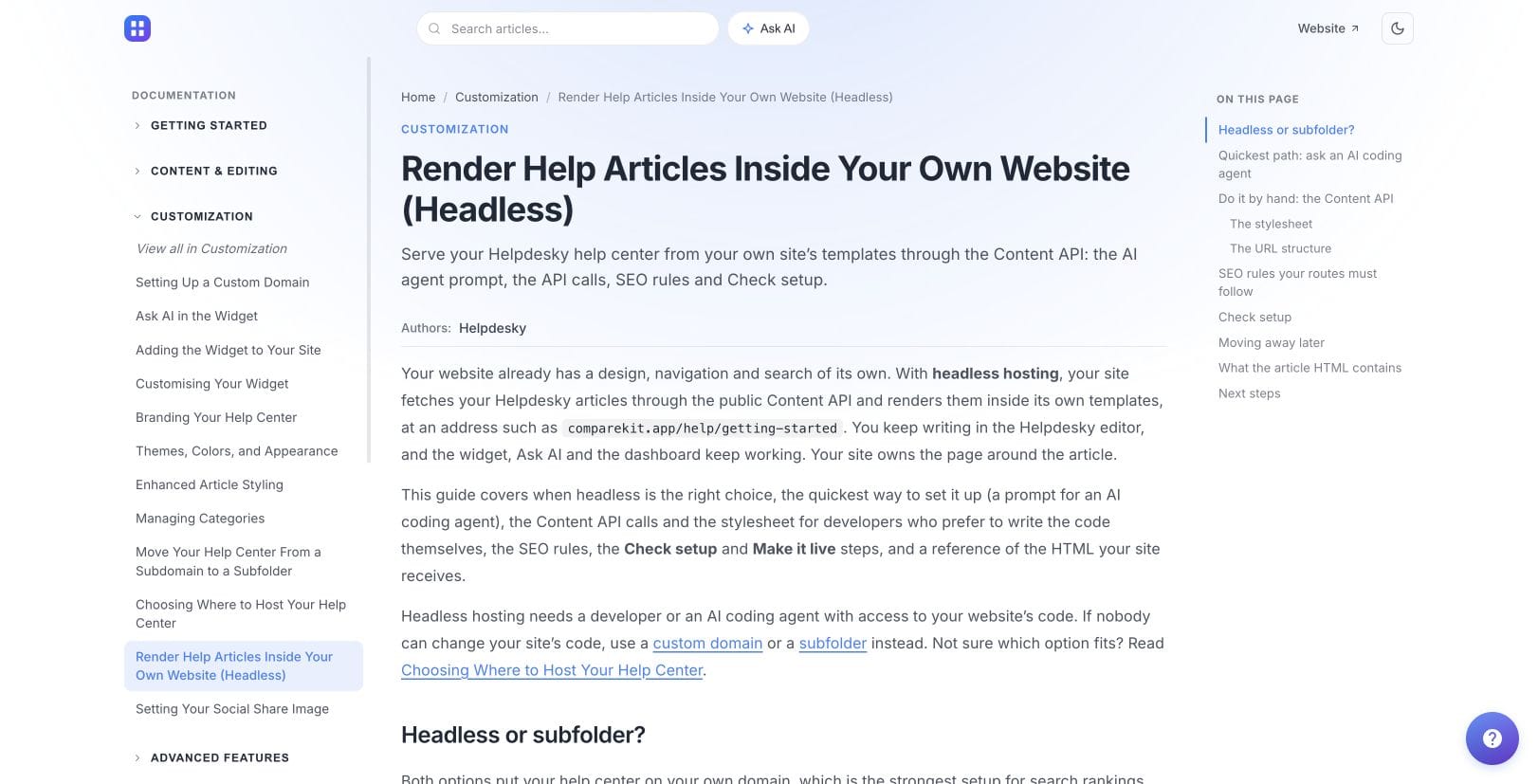
HelpDesky’s headless delivery guide documents the division of work. Articles continue to be managed in HelpDesky, and its widget, Ask AI and dashboard remain available. Your site owns the public routes and the surrounding experience.
- Discovery: Decide how customers browse categories and find an article. The Content API offers search, but your team must present it in the site.
- Publishing updates: Agree how quickly new or changed articles appear, and how you will spot stale content.
- Search engine access: Maintain article titles, descriptions, canonical URLs and sitemap entries for the pages you render.
- Missing content: Return the right missing page response when an article no longer exists, rather than showing an empty page that looks successful.
- Reliability: Plan how the site behaves when content cannot be fetched and who investigates failures.
These are acceptance criteria for a purchase and implementation estimate, not a requirement to write code yourself. A supplier or developer can deliver the integration, but your team still needs to own the outcome.
HelpDesky supplies a stylesheet for article elements such as callouts, buttons, images and embeds. Include those richer articles in your trial. A plain paragraph rendering correctly does not establish that every content type works in your design.
Does headless improve SEO?
Headless gives you control over delivery; the label does not establish a search advantage. Google’s JavaScript SEO guidance explains that Google processes JavaScript, while recommending server rendering or prerendering and noting that some bots cannot run JavaScript.
Ask the implementation team to demonstrate the article text at a public URL, its crawlable links and its missing page behaviour. Do not accept an attractive browser screenshot as the whole search accessibility test. Hosted pages also deserve inspection before you buy.
The Google Search Central discussion below provides background on rendering JavaScript for Search. It is not a HelpDesky review or evidence that changing your hosting mode will improve rankings.
Compare the running cost, not just the subscription
The current HelpDesky pricing page includes all hosting modes on Free and Pro. Free covers one workspace, unlimited seats, up to 15 published articles and 15 conversations per month. Pro is $5 monthly for one workspace with unlimited seats, articles and conversations, plus removal of HelpDesky branding. No temporary discount code is shown.
The platform fee does not pay for your website development, hosting or ongoing integration maintenance. Ask for those costs separately when comparing a hosted launch with headless delivery.
AI runs on your own provider key, with usage billed separately by that provider. This gives you a choice among supported providers and models, visibility into the usage bill and access to provider spending controls. Check whether a particular budget setting stops requests or only sends alerts before relying on it as a hard cap. Headless does not make AI usage free.
Where HelpDesky headless may not fit
You still manage articles in HelpDesky and consume its Content API. Headless changes presentation; it does not, by itself, give you a repository based editorial workflow or a new content management system.
If the purchase depends on a particular approval workflow, private content access model or API documentation format, verify that capability separately. A successful public article integration does not prove those requirements are covered.
HelpDesky’s hosted option is the simpler starting point when you cannot change your website code or assign an integration owner. Its headless option is worth evaluating when the shared design and navigation are explicit requirements and your team can support them.
Can you start hosted and move later?
Yes, HelpDesky documents moves between its hosting modes. Its headless guide describes setup validation before activation, canonical references for the hosted copy, and redirects from a previous custom domain or subfolder.
That is not permission to abandon the old infrastructure immediately. The guide says a previous proxy rule or connected domain must remain in place for the associated redirects. Moving away from headless also depends on redirect behaviour implemented in your own routes.
Before choosing, ask for a demonstration of one renamed article and one unpublished article, as well as a normal page. Use our help centre migration checklist when planning an address change. Preserve a working route for customers with old bookmarks.
Start the trial with a short article, a long article containing media, and a page customers frequently search for. Compare finding an answer, moving to related content and reaching support on desktop and mobile. Choose the arrangement that your team can keep useful after launch.
Frequently asked questions
What is a headless help centre?
It separates article management from page presentation. Content comes from an API, while your website renders the public help pages in its own templates.
Do I need headless for a custom domain?
No. HelpDesky supports a custom subdomain while continuing to host and render the pages. Headless is for control over the page experience, not simply a branded address.
Does HelpDesky charge extra for headless hosting?
The hosting options are included on Free and Pro. Your own website hosting, development and maintenance costs remain separate, as does connected AI provider usage.
Does headless automatically rank better?
No. Search access depends on the implementation and content. Check rendered article text, crawlable links and page responses rather than treating an architecture label as a ranking promise.
Who maintains search and navigation?
Your team owns their integration into the headless website. HelpDesky provides content and an optional search endpoint; the public search experience still needs to be implemented.
Can I return to hosted pages later?
HelpDesky documents that option. Its recommended headless integration includes redirect behaviour when the live help centre address changes. Confirm that your implementation includes it before depending on a smooth return.